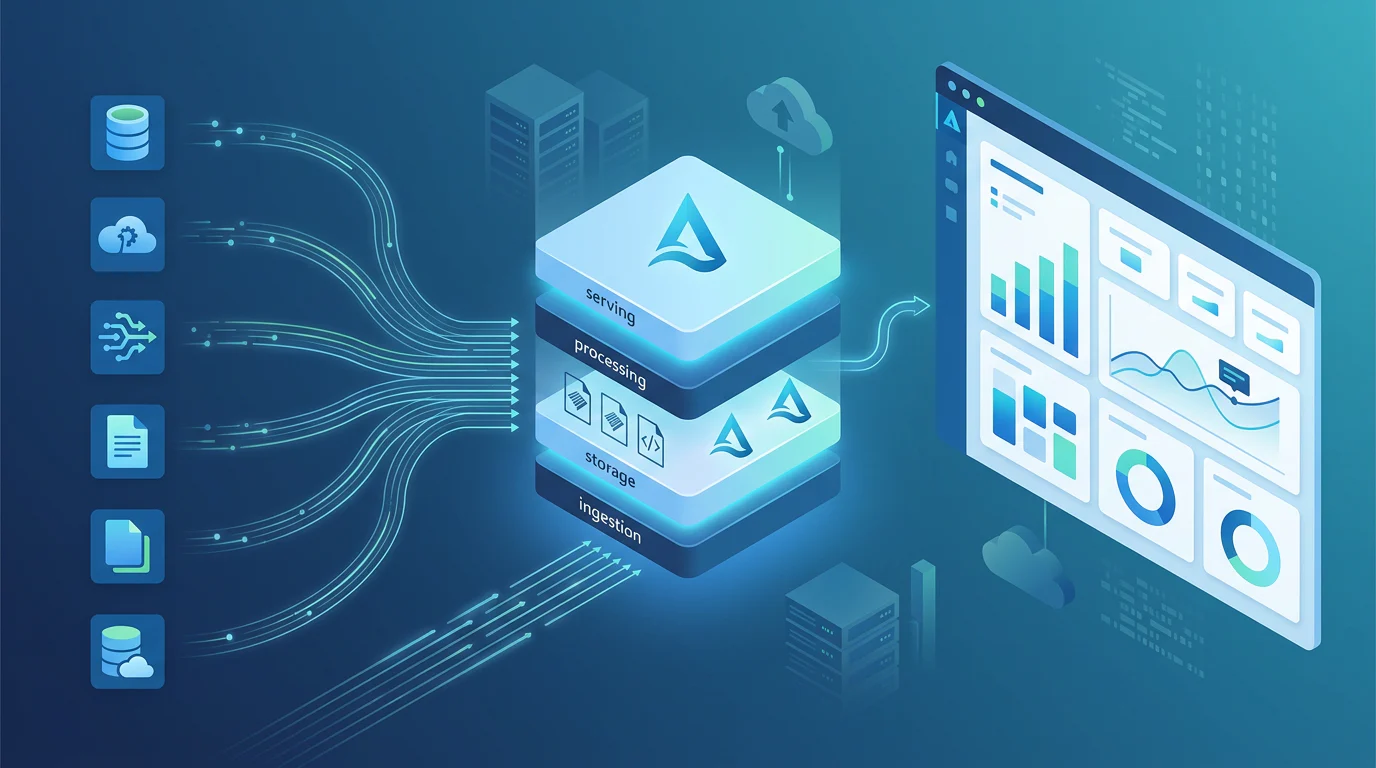

TL;DR
We find that one Azure pipeline can cover batch and streaming only when schemas, transformations, storage, governance, and recovery are truly shared. This guide compares practical Azure patterns, shows where a shared lakehouse works, explains reliability controls, and gives small teams a decision path for Fabric, Databricks, or separate services.
Can One Azure Pipeline for Batch and Streaming Handle Both?
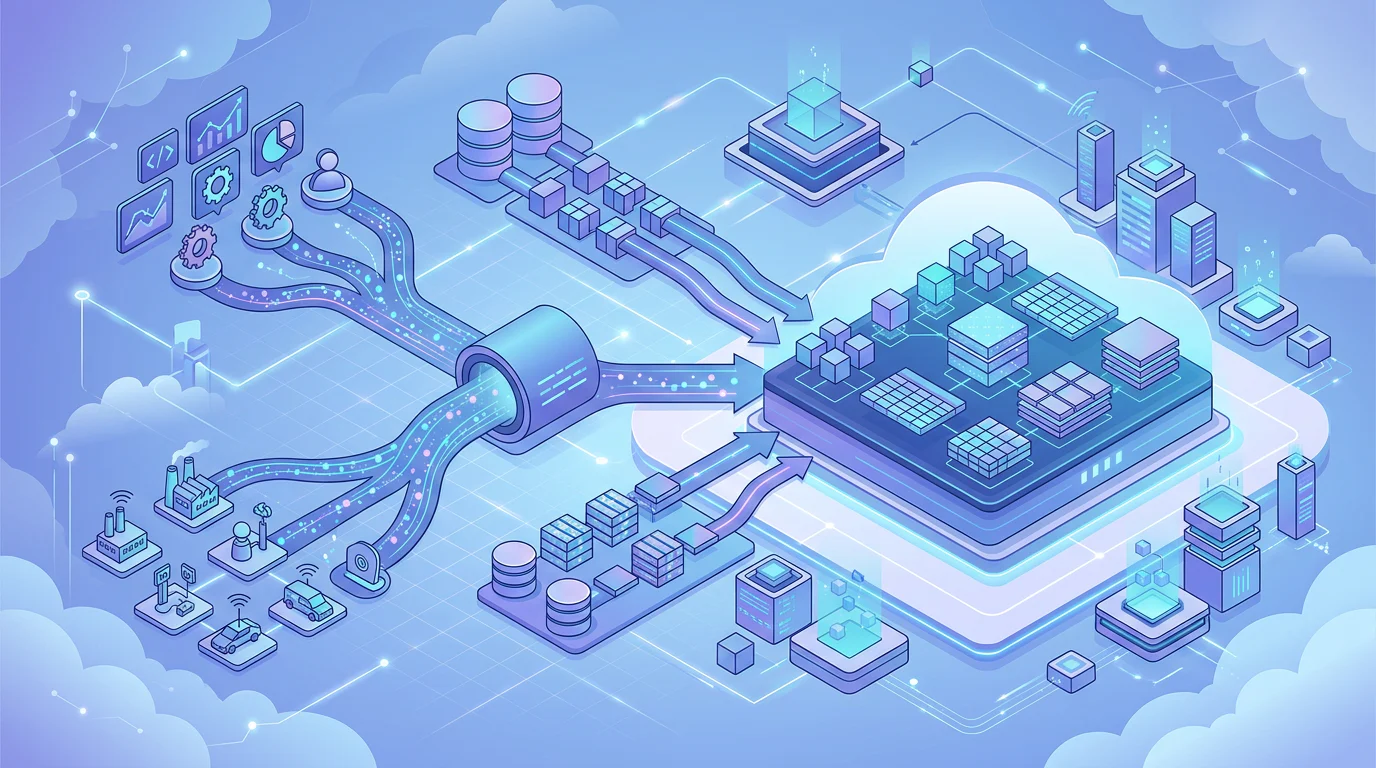
Azure teams face a practical tension: nightly warehouse loads want predictability, while event streams require state, replay, and rapid detection of problems. Event Hubs Premium and Dedicated can retain source events for up to 90 days, which makes recovery possible, but only when the wider pipeline is designed to use that capability.
A single Azure pipeline for batch and streaming works when both paths can share schemas, transformations, storage, governance, and recovery rules. Lakeflow and Microsoft Fabric can centralize much of this lifecycle, but they do not erase differences in latency, state, replay, capacity, CI/CD, monitoring, or Spark operating skills.
We will compare the main Azure options, show what a truly shared lakehouse pattern looks like, and identify the reliability and staffing conditions that should determine the choice.
Can One Azure Pipeline for Batch and Streaming Really Handle Both?
The short answer is yes, with a condition: one pipeline must mean more than one visual canvas. A credible unified design shares data contracts, transformation logic, governed storage, deployment practices, and an incident model. If the batch path and stream path only happen to appear in the same scheduler, we would treat that as coordinated services, not one pipeline.
Lakeflow is the clearest example of code-level unification because its declarative flows support batch and streaming semantics in SQL and Python, with automatic orchestration and incremental updates, as the Lakeflow model explains. That does not make every workload a fit for unification. A continuous fraud signal and a nightly finance extract often have different failure budgets, latency needs, and owners.
We use five tests before calling an architecture unified:
- Code: The same business rules and data-quality checks can apply to both ingestion paths.
- Compute: The platform can execute both modes without forcing separate teams to manage disconnected runtimes.
- Orchestration: Dependencies, retries, and promotion are visible in one operating model.
- Storage: Both paths land in governed tables with compatible keys, partitions, and retention.
- Monitoring: Freshness, lag, failed records, and lineage appear in one useful operational view.
A team should not combine workloads merely to reduce the number of boxes on an architecture diagram. If the operating model would hide important differences, our separate stack choices framework is the more honest starting point.
Which Azure Platform Best Combines Real-Time Events and Nightly Loads?
Microsoft Fabric, Azure Databricks, Synapse, Data Factory, and Stream Analytics can all participate in a batch-and-streaming estate. The useful question is not which one has the longest feature list. It is which one lets your team run the required reliability model without creating a second, invisible platform behind the first.
Fabric separates batch ingestion and orchestration from real-time ingestion, even though both sit inside the same environment. Its Eventstreams and Eventhouse components handle streaming scenarios, while Data Factory pipelines and Copy jobs handle batch work, according to Microsoft’s ingestion guide. That is a productive unified environment, but teams should still document each component’s state and recovery behavior.
| Platform Option | Batch Capability | Streaming Capability | Orchestration | Low-Code Access | Governance And Monitoring | CI/CD | Operating Burden |
|---|---|---|---|---|---|---|---|
| Azure Databricks Lakeflow | Materialized views and scheduled updates | Streaming tables and declarative flows | Automatic flow dependencies | SQL is approachable, advanced state needs engineering skill | Unity Catalog, event logs, lineage | Git, Bundles, Azure DevOps | Medium to high |
| Microsoft Fabric | Pipelines, Copy jobs, Dataflow Gen2 | Eventstreams, Eventhouse, Real-Time hub | Native pipelines and event-driven actions | Strong visual and Power Query route | OneLake and Monitoring hub | Git integration and deployment pipelines | Low to medium |
| Synapse With Data Factory | Warehouse loads, Copy, mapping data flows | Requires Spark or a streaming service | Pipelines coordinate activities | Strong for visual batch transformation | Azure Monitor and workspace controls | Git and Azure DevOps | Medium |
| Data Factory With Stream Analytics | Scheduled ETL and data movement | Dedicated event processing | Shared control plane, separate stream state | Visual ETL plus SQL-like streaming queries | Azure Monitor and job diagnostics | Git and Azure DevOps | Medium |
For analysts who need visual transformation tools, Fabric and Data Factory are the most direct routes. Dataflow Gen2 offers a Power Query experience, while Data Factory mapping data flows let people build transformations visually even though Azure manages Spark execution in the background. Our platform comparison helps place those choices alongside governance and operating needs.
For engineering-heavy workloads, Lakeflow is compelling when Delta tables, CDC, shared transformations, and data-quality rules must remain consistent between event and batch paths. For established Synapse teams, Data Factory can still coordinate nightly loads well, but a separate streaming engine remains a separate operational responsibility. Teams looking for visual-first designs should examine Azure ETL routes before assuming every streaming requirement needs custom Spark code.
What Does a Production-Ready Shared Lakehouse Architecture Look Like?
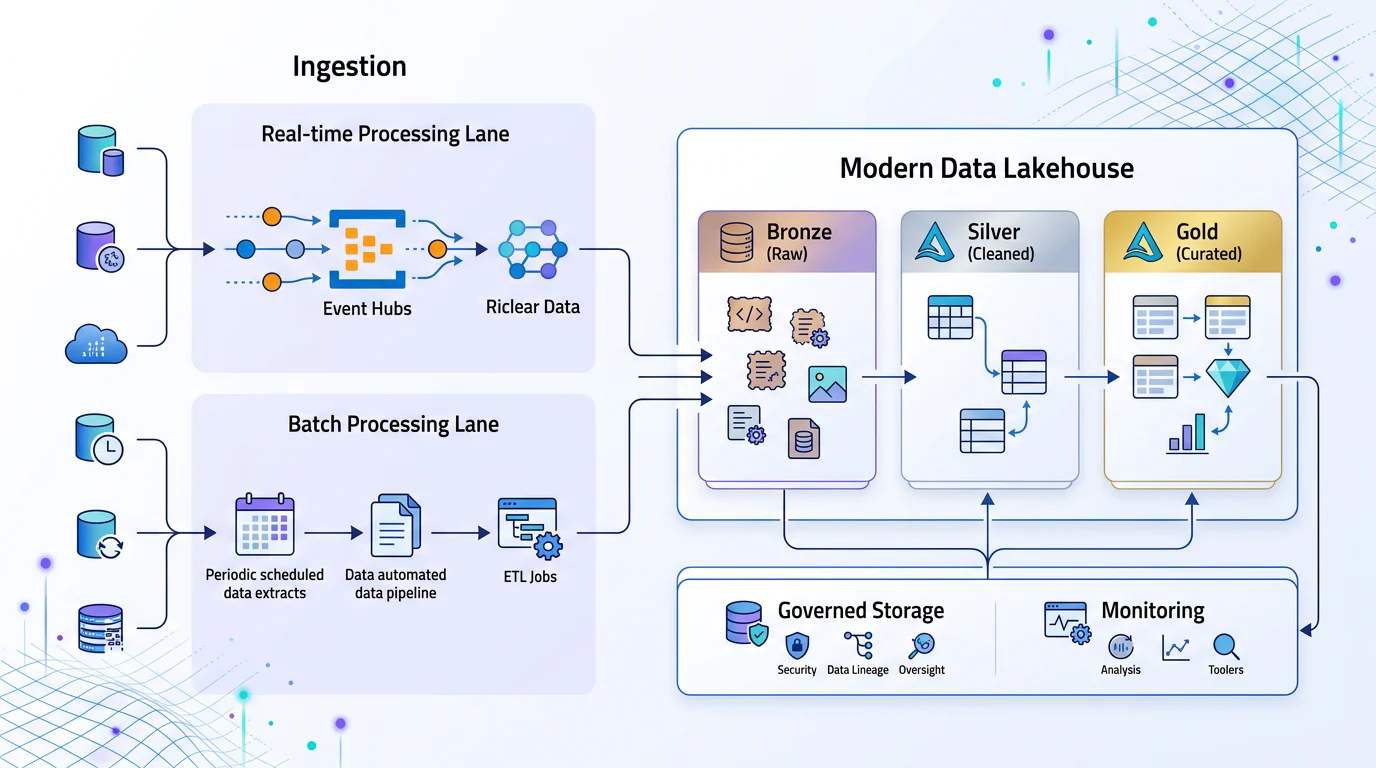
A durable reference pattern starts with one immutable landing layer. Events and nightly extracts should enter Bronze tables with source identifiers, event time, ingest time, schema version, and a stable event or business key. From there, the team can produce Silver and Gold tables under the same contracts, rather than creating one set of rules for telemetry and another for warehouse extracts.
Use Shared Delta Tables as the Contract
In a Lakeflow-oriented design, Event Hubs, CDC feeds, and files land in Bronze Delta tables. Streaming flows clean and deduplicate event data into Silver. Scheduled materialized views or batch flows process nightly source extracts using the same dimensional and business-key conventions. Gold tables then serve dashboards, downstream warehouse loads, and SQL consumers.
Delta can support multiple streams and concurrent batch jobs while preserving exactly-once processing patterns, but incompatible table schema changes still need care. The Delta streaming guidance specifically warns that streaming sources use the latest table schema, which is why schema compatibility belongs in the release process.
The goal is not to force every downstream system to read a live stream. It is to establish one trustworthy, replayable data foundation. Our lakehouse foundation explains why that layer is more important than whether an initial workflow is visual or code-first.
Keep Streaming State Explicit
Stream processing needs persistent information that batch jobs usually do not: offsets, watermarks, deduplication state, and window state. A platform may run this work for you, but it cannot make it disappear. Every stream should have its own checkpoint location, a documented recovery target, and a tested replay procedure.
This is where apparent unification can break down. A batch pipeline may be retried by rerunning a date partition. A stream failure may require restarting from checkpoints, checking source retention, evaluating late data, and validating that no duplicated output was produced. We would only describe those as one operational system when the team can handle both through the same controls and runbook.
Recognize When Shared Orchestration Is Not Shared Processing
Fabric illustrates the distinction well. A pipeline can trigger batch activities while Eventstreams process data in motion, yet the components retain their own behavior and constraints. That is often a sensible design for a small team. It becomes misleading only when a dashboard claims “one pipeline” while no one owns event lag, replay, or invalid records.
| Design Pattern | What Is Shared | What Still Requires Separate Attention | Best Fit |
|---|---|---|---|
| Declarative Lakehouse Pipeline | Tables, transformations, quality rules, lineage, deployment model | Stateful streaming design and compute choices | Teams with strong shared data-engineering ownership |
| Fabric Unified Environment | Workspace, capacity, governance surface, analyst experience | Eventstream behavior, batch schedules, workload contention | Analyst-led teams with practical real-time needs |
| Scheduler Plus Streaming Service | Alerts, deployment process, some control flow | State, checkpoints, replay, error handling | Existing warehouse estates or specialized event workloads |
We recommend documenting this boundary in the architecture itself. A governed lakehouse is valuable because it makes source-to-consumer ownership visible, including where that ownership crosses from scheduled processing into stateful streaming.
How Do You Make a Unified Pipeline Safe to Re-Run?
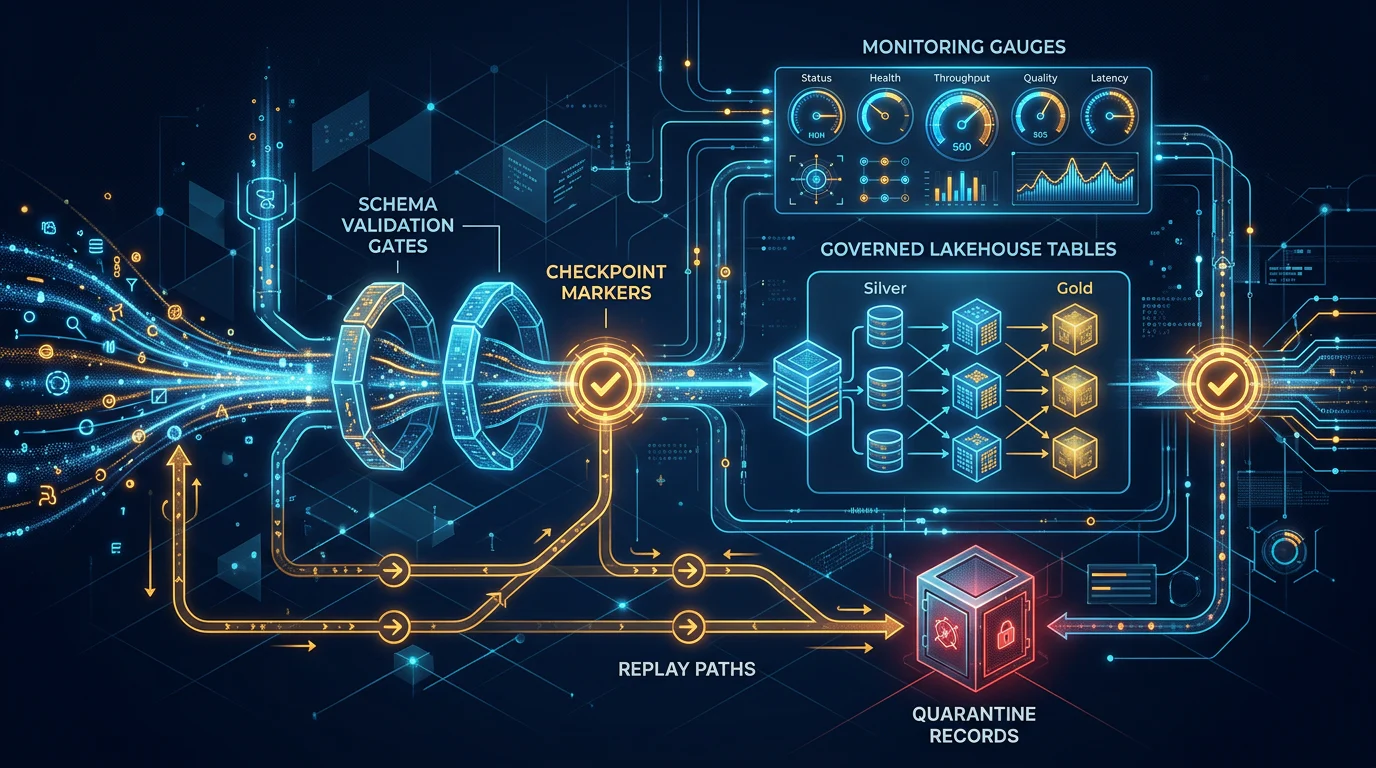
A unified architecture earns trust through recovery, not through diagrams. Before a team promises real-time and nightly delivery from one platform, it should prove that a delayed event, a failed schema change, a duplicated source message, and a rerun of yesterday’s batch all produce predictable results.
Treat Schema Evolution as a Release Event
Schema evolution should be versioned and tested like application changes. Additive fields may be safe when downstream consumers tolerate them. Renamed fields, type changes, and changes to keys need an explicit migration plan. Stateful applications can have additional restrictions, so a stream should not discover a breaking change in production.
For Stream Analytics, output conversion errors can be retried or dropped. Retrying can block later events, while dropping makes those records unavailable for later reprocessing in that job, as its error policy documentation confirms. We prefer a visible quarantine route for records that fail a contract, with the source offset, payload reference, reason, and remediation owner retained.
Design Checkpoints and Replay Before Go-Live
Each streaming query needs a unique checkpoint location. Checkpoints record committed micro-batches and state so recovery can resume safely, which is the basis for the checkpoint model. Do not share checkpoint folders between queries, and do not confuse a checkpoint with a permanent replay store.
Retention must exceed the longest window and the recovery target. Stream Analytics notes that replay needs can grow with both window size and event rate. If the source retention ends before state can be rebuilt, the system may recover with incomplete or incorrect results.
Make Late Data and Duplicates Business Decisions
Late data is not merely a technical annoyance. A product analytics dashboard may tolerate a five-minute correction window. Financial reporting may need a controlled adjustment process for events that arrive after a daily close. Define the business rule before choosing a watermark or late-arrival setting.
Stream Analytics uses a default late-arrival policy of five seconds and a default out-of-order policy of zero seconds when event-time policies are configured. Its event ordering rules make clear that a wider tolerance can delay output. We recommend stable event IDs, idempotent writes, and a correction path rather than assuming every delayed message should be silently accepted or discarded.
Operate Against a Reliability Checklist
Use this checklist before calling a shared batch-and-streaming design production-ready:
- Freshness SLOs are defined separately for streams and nightly loads.
- Lag thresholds have alert owners and escalation rules.
- Each event has a durable ID or business key for deduplication.
- Every stream has a unique checkpoint path and a tested restart procedure.
- Source retention supports the replay window and recovery target.
- Schema compatibility tests run before environment promotion.
- Late data has a correction, adjustment, or quarantine policy.
- Failed records are retained with actionable error context.
- Retries are tested for duplicate output and downstream side effects.
- Lineage traces source, Bronze, Silver, Gold, and warehouse consumers.
This operational discipline also supports gradual change. Teams modernizing one workload at a time can use our modernization choices guidance to avoid a risky all-at-once migration.
How Should Small Azure Teams Choose the Right Operating Model?
For a 12-person analytics team, cost is only one variable. The more important question is whether the team can confidently own the platform at 2 a.m. Capacity planning, incident response, code review, and safe environment promotion often cost more in attention than a modest difference in compute rates.
Fabric can simplify purchasing through shared capacity. Its available SKUs start at F2, and Microsoft states that one- or three-year reservations can save about 41 percent compared with pay-as-you-go. Databricks bills both virtual machines and DBUs, while Data Factory charges for activity orchestration and integration runtime execution. We would model real workloads in the relevant calculator rather than publish a generic monthly estimate.
Use CI/CD That Matches Team Capacity
Fabric offers a comparatively low-script route for many teams: connect the development workspace to Git, then promote through deployment pipelines. Databricks supports source-controlled pipelines and Declarative Automation Bundles, which provide stronger infrastructure-as-code discipline but require YAML, validation, and deployment conventions. Data Factory supports Git and Azure DevOps, but its recommended deployment process includes trigger management scripts.
We would choose the lowest-complexity workflow that still enforces pull-request review, environment-specific configuration, secret handling, and rollback. Our team learning path can help divide those responsibilities between analysts and engineers without pretending they are the same role.
Monitor the Measures That Change Decisions
A useful monitoring view combines delivery and correctness. Track batch freshness, stream lag, failed-record counts, retry counts, data-quality failures, lineage coverage, capacity use, and SLO compliance. Lakeflow’s event log includes pipeline progress, quality expectation results, lineage, and error details, as the pipeline monitoring guide describes.
Choose Azure Databricks when shared Delta transformations, complex incremental processing, and stateful streaming justify engineering ownership. Choose Microsoft Fabric when analyst accessibility, managed capacity, and visual workflows matter most and the event SLA is achievable. Keep services separate when stream latency, replay, state, or failure ownership differs enough that one deployment model would obscure risk.
Build Durable Azure Data Capability with Vision Board
Vision Board helps Azure data teams build the judgment that makes platform choices durable. We teach the lakehouse patterns behind shared tables, incremental loads, governed transformations, monitoring, and release practices, then connect those ideas to practical choices in Fabric, Databricks, Synapse, and Azure services. For a small analytics group, the goal is not to memorize every tool. It is to know which responsibilities must stay explicit: data contracts, recovery, cost controls, ownership, and production validation. Our learning paths help people communicate architecture clearly, contribute safely, and recognize when a visual workflow is enough or when an engineering pattern is required. If your team is moving from daily ETL toward a dependable lakehouse, we can help turn this decision framework into hands-on capability for the work ahead. Explore Vision Board
FAQs on Azure Pipeline for Batch and Streaming
Can Azure Databricks Run Batch and Streaming in One Pipeline?
Yes. Lakeflow can combine batch materialized views and streaming tables in one declarative pipeline when teams maintain shared schemas, checkpoints, recovery rules, and clear ownership.
Is Microsoft Fabric Enough for Nightly ETL and Real-Time Events?
Yes. Fabric supports visual batch work, Eventstreams, and OneLake, but teams must still monitor streaming ingestion, storage behavior, and scheduled orchestration as distinct components carefully.
Do Analysts Need Spark Knowledge to Build Azure Pipelines?
No. Analysts can use Power Query, visual data flows, and SQL for common transformations, while engineers own stateful streaming, replay design, schema changes, and tuning.
When Should Batch and Streaming Remain Separate Services?
Keep them separate when latency, state retention, replay procedures, failure ownership, or downstream contracts differ enough that one recovery model would hide material operational risk.