
Which Azure Tools Modernize Legacy ETL? Azure ETL Modernization Tools Compared
Compare Azure ETL modernization tools for legacy pipelines, including SSIS lift-and-shift, orchestration, streaming, DevOps, and migration cost.
Which Azure Tools Modernize Legacy ETL? Azure ETL Modernization Tools Compared
We see migrations fail when teams treat every legacy package as a rebuild. A Premium database migration service can be free for its first 183 days, but temporary migration economics do not replace the recurring ETL design decision.
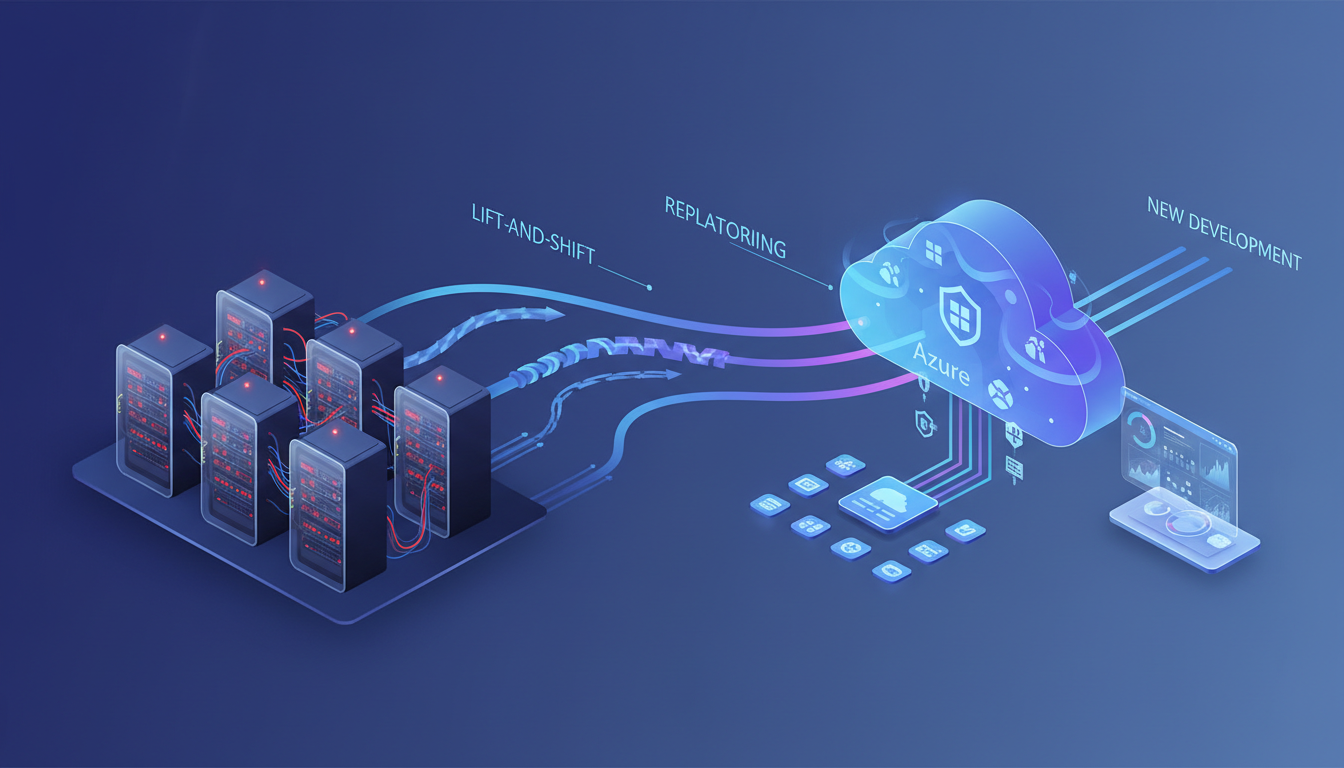
Azure ETL modernization tools let teams modernize legacy workloads without recreating each pipeline: retain compatible packages, wrap private dependencies, translate repeatable batch flows, and redesign only jobs that need streaming or cloud-native scale. Azure-SSIS Integration Runtime preserves suitable packages, while self-hosted connectivity and cloud orchestration support incremental change.
We cover the decision model, inventory, tool roles, reference architectures, migration workflow, and operating controls that help us reduce rewrites without carrying unnecessary technical debt forward. Our related SSIS migration guide goes deeper on package-focused implementation.
Which Migration Path Fits Each Legacy Pipeline?
We start with the workload, not the tool. A stable nightly package with a manageable remaining life deserves a different decision from a high-volume event feed, even if both happen to sit on the same server today.
| Migration Path | Use It When | Rewrite Effort | Azure Landing Pattern | Guardrail |
|---|---|---|---|---|
| Retain | The package is compatible, stable, and nearing retirement | Low | Azure-SSIS IR and SSISDB | Set an owner and retirement date |
| Wrap | Private dependencies must remain temporarily | Low | Existing process orchestrated through a private bridge | Separate credentials and schedules |
| Translate | The logic is understood and repeated across workloads | Medium | Parameterized pipelines and shared transformations | Eliminate duplicate business rules |
| Redesign | Streaming, scale, or incompatibility changes the requirement | High | Cloud-native batch or streaming architecture | Rebuild only retained business value |
Our four paths prevent a false binary between lift-and-shift and wholesale replacement. Retaining a package is a controlled preservation choice, not a declaration that SSIS is the long-term architecture. Wrapping keeps the boundary around a dependency while we modernize what surrounds it. Translation moves known logic into reusable components. Redesign is reserved for work that truly needs a new execution model.
Microsoft documents three distinct integration runtime types: managed Azure compute, a self-hosted bridge for private networks, and Azure-SSIS compute for package execution in the runtime guide. We use those definitions consistently during assessment.
- Azure Integration Runtime: We use Microsoft-managed compute for cloud data movement and supported pipeline activities.
- Self-Hosted Integration Runtime: We use this Windows-based bridge when on-premises or private-network sources must remain reachable.
- Azure-SSIS Integration Runtime: We use managed SSIS compute when compatible packages can move with less change than a rebuild requires.
For teams building long-term capability alongside the migration, our Azure data engineering learning paths help connect these decisions to the skills the operating model needs.
How Do We Inventory Legacy ETL Before Migration?
We create one inventory record for every package, SQL Agent job, script, and parent-child dependency. The point is not to produce a prettier catalog. It is to reveal which business workflows are truly independent, which ones share logic, and which ones only appear simple because their dependencies were never documented.
Our inventory captures package owner, business criticality, source and target systems, data volume, schedule, SLA, downstream consumers, credentials, connection managers, custom components, drivers, package version, failure recovery, and reconciliation method. We also capture external executables, fileshares, stored procedures, and deployment configuration. Microsoft’s SSIS migration guidance frames the work around assessment and migration, which gives us a useful starting point for this migration overview.
We then add three decision fields: the recommended path, the blocker status, and the pilot suitability. A useful pilot is not the easiest package. It is a representative workload that tests the networking, credentials, scheduling, transformation, monitoring, and validation approach that later migrations will reuse.
This is also where we find duplicated transformations. If several projects apply the same cleansing rule, lookup, or business calculation in separate packages, we mark it as a shared asset candidate. Our Azure Lakehouse Engineering resource provides useful context for designing those shared data assets beyond a single migration.
Which Azure ETL Modernization Tools Support Batch, Streaming, and Azure DevOps?
No single service should be expected to preserve packages, bridge private networks, run batch orchestration, process streams, and migrate databases equally well. We use the table below as a role map, not a winner-take-all ranking.
Scores run from 0 to 3. Higher capability scores mean stronger native fit. For rewrite effort and operational burden, higher scores mean more effort or burden.
| Tool | Rewrite Effort | Streaming Support | Orchestration | CI/CD | Private Networking | Operational Burden | Best Role |
|---|---|---|---|---|---|---|---|
| Azure-SSIS Integration Runtime | 0 | 0 | 2 | 2 | 3 | 2 | Preserve compatible SSIS packages |
| Self-Hosted Integration Runtime | 0 | 0 | 0 | 1 | 3 | 3 | Bridge private sources |
| Azure Data Factory | 2 | 0 | 3 | 3 | 2 | 1 | Batch ingestion and orchestration |
| Fabric Data Factory | 2 | 2 | 3 | 3 | 2 | 1 | Unified batch orchestration with real-time components |
| Managed Spark Environment | 3 | 3 | 3 | 3 | 3 | 2 | Reusable code-based batch and streaming transforms |
| Azure Database Migration Service | 0 | 0 | 0 | 1 | 2 | 1 | Database migration work |
When Should We Use Azure-SSIS Integration Runtime?
We use Azure-SSIS IR when a package’s business value is proven, its dependencies are compatible, and preserving it avoids an unnecessary rewrite. It supports SSISDB project deployments and familiar package tooling, which makes it a practical retain path for many scheduled workloads.
Compatibility remains the deciding factor. Microsoft notes that Microsoft Distributed Transaction Coordinator transactions are unsupported, package protection levels that rely on a user key are unsupported, and higher-version packages cannot run on the current runtime base. We treat those limits as design inputs, not late-stage surprises, and validate them against the package compatibility guidance before approving a retain decision.
When Does a Self-Hosted Runtime Make Sense?
We use a self-hosted runtime when a source must remain in a private network while the orchestration layer moves first. It provides connectivity, but it does not replace pipeline orchestration, transformation design, deployment controls, or operational ownership.
This distinction matters because teams often overextend the bridge. A self-hosted runtime is valuable when it reduces immediate migration risk, yet it still needs host maintenance, driver management, credential backup, and availability monitoring. Our unified analytics platform guide helps frame where that bridge belongs in a broader platform design.
When Should We Translate or Redesign?
We translate repeatable batch flows into parameterized pipelines when the underlying logic is understood and likely to recur. We redesign where event latency, very large-scale transformations, shared code, or unsupported dependencies make package preservation more expensive than change.
For real-time patterns, we pair batch orchestration with a dedicated event capability rather than calling a schedule “streaming.” This gives us cleaner ownership of latency, checkpointing, schema evolution, and downstream routing.
How Can One Architecture Handle Batch, Streams, and Multiple Storage Accounts?
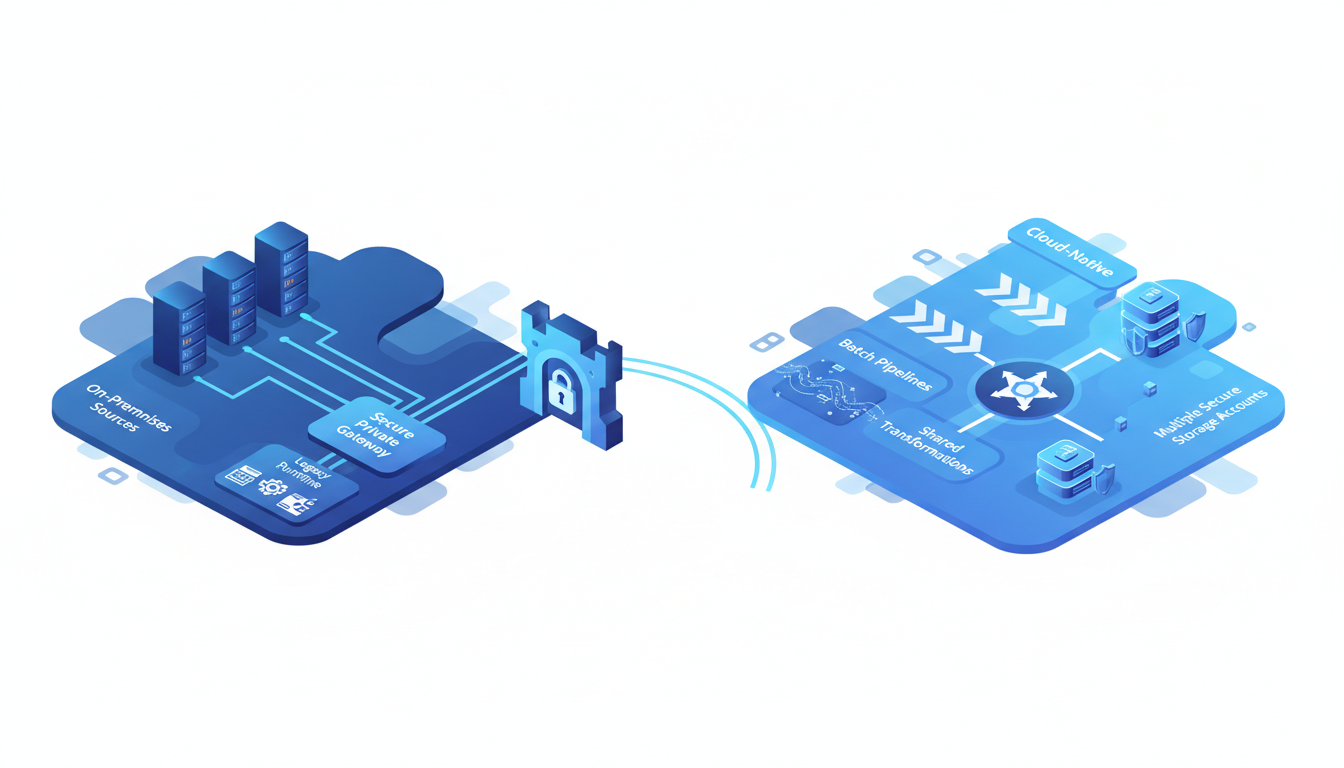
We recommend two explicit architecture states. The transitional state protects delivery while legacy dependencies remain. The cloud-native state consolidates reusable patterns once teams have proven the new operating model. Trying to jump directly to the second state often creates a large rewrite program with little early feedback.
What Does the Transitional State Look Like?
In the transitional state, we leave compatible packages on Azure-SSIS IR, use a self-hosted runtime to reach private sources, and use a cloud orchestrator to schedule, observe, retry, and coordinate both old and new work. The architecture gives us a safe place to run parallel validation without moving every dependency on day one.
For incremental database ingestion, we use a stored watermark, identify old and new values, copy the changed interval, and update the watermark only after the run succeeds. Microsoft’s incremental-copy pattern demonstrates the same sequence across multiple tables.
What Does the Cloud-Native State Look Like?
In the cloud-native state, we use parameterized pipelines to orchestrate batch loads across storage accounts and environments. Metadata, not copied pipeline definitions, supplies source locations, target locations, table lists, schedules, and environment settings.
For streaming, we use a dedicated event path that can ingest, transform, and route data in motion. Fabric documentation distinguishes batch pipeline orchestration from Eventstream-based real-time ingestion, which is useful when we choose between a scheduled load and a low-latency route in the ingestion guide.
How Do We Stop Rebuilding Transformations?
We centralize reusable transformation logic into versioned, tested assets with clear input and output contracts. Pipelines call those shared assets with parameters instead of copying logic into every project. This reduces drift in business rules and shortens the time required to fix a defect across several domains.
Where a code-first data engineering environment is appropriate, we use structured streaming for sustained ingestion and triggered batches when minimizing compute cost matters more than low latency. Official streaming guidance recommends production pipeline patterns for managed file ingestion. Our platform comparison helps teams evaluate that decision in the wider analytics context.
How Do We Migrate Incrementally with Validation and Rollback?
We sequence the migration so every cutover has evidence behind it. A pilot should prove the difficult aspects of the portfolio, such as private connectivity, custom drivers, large volumes, shared transformations, and downstream reconciliation, rather than merely proving that a simple copy activity can run.
- Assess Workloads: We inventory packages, schedules, dependencies, credentials, and compatibility blockers.
- Classify Each Pipeline: We assign retain, wrap, translate, or redesign based on business value and technical fit.
- Select A Representative Pilot: We choose a manageable workload that exercises the target design.
- Build The Landing Controls: We configure networking, secrets, logging, parameterization, and deployment paths.
- Run In Parallel: We compare row counts, checksums, latency, rejects, and business totals across old and new paths.
- Cut Over With Gates: We use documented acceptance criteria, an owner, and a defined rollback decision.
- Retire Deliberately: We remove old schedules, credentials, servers, and duplicate logic only after the validation window closes.
A rollback plan is not simply “turn the old job back on.” We preserve the legacy schedule, maintain configuration backups, document replay procedures, and decide how duplicate writes will be prevented during the recovery path. This gives us a reversible cutover rather than an optimistic launch.
Teams that need to build these habits alongside implementation can use our 90-day roadmap to organize the practical skills behind each stage.
How Do We Govern CI/CD, Cost, and Ongoing Operations?
Our operating model treats pipeline definitions, reusable transformations, infrastructure configuration, deployment scripts, and test cases as one versioned delivery unit. A migration is incomplete if the job runs once but cannot be promoted, observed, recovered, and changed safely by the team that inherits it.
How Do We Use Azure DevOps for Pipeline Promotion?
We keep development, test, and production separate, require pull requests for pipeline changes, validate definitions in continuous integration, and deploy environment-specific parameters through controlled releases. For Azure Data Factory, Microsoft documents automated validation and ARM template generation for deployment through CI/CD guidance.
For Fabric workspaces, we use Git integration and deployment pipelines while recognizing that Git tracks item definitions and lakehouse metadata, not the table data itself. This distinction prevents teams from confusing source control with backup or data retention.
What Should We Test Before Promotion?
We test schema expectations, parameter handling, error paths, retry behavior, watermark advancement, reconciliation outputs, and rollback behavior. We also check that shared transformations produce the same result for every consuming pipeline after a version update.
We use a short ownership contract for every reusable asset: owner, inputs, outputs, version, quality checks, compatibility promise, and retirement policy. That contract makes duplicated transformations visible before they become a long-term maintenance problem. Our modern Azure course covers the delivery practices that support this model.
How Do We Compare Cost and Operational Burden?
We price the complete operating path: runtime hours, data movement, compute, storage, networking, support effort, and failure recovery. For Azure-SSIS IR, we also include the separately billed SSISDB database and whether the runtime can be stopped outside required execution windows.
Microsoft’s current pricing page lists an A4 v2 Standard Azure-SSIS IR node at $612.99 per month with the license included, or $328.29 per month with Azure Hybrid Benefit. Those figures vary by region, agreement, and currency, so we use them only as a documented starting point and validate them against current pricing details.
How Vision Board Helps Azure Data Teams Modernize ETL
At Vision Board, we help Azure data engineers turn a tool list into a working migration operating model. Our learning paths focus on the decisions that make migrations stick: identifying package blockers, choosing a retain or redesign path, designing parameterized pipelines, and setting up practical promotion controls. We use project-shaped exercises so teams can practice inventorying dependencies, validating outputs in parallel, and replacing duplicated transformations with governed shared assets.
Whether you need individual upskilling or a shared team standard, we connect technical choices to delivery habits engineers can apply immediately in real migration work. If your team is moving from SSIS or private data estates into Azure, we can help you build the judgment to sequence that work without treating every package as a rebuild. Explore our Azure-focused training, use the migration framework here, and bring the same approach to your next platform decision with Vision Board.
FAQs on Azure ETL Modernization Tools
When Should We Use Azure-SSIS Integration Runtime?
Use Azure-SSIS Integration Runtime when packages are compatible and dependencies are remediated. Rebuild when streaming, reusable transformations, or unsupported components create the stronger long-term fit.
How Do We Inventory Legacy ETL Pipelines?
Create one inventory record per pipeline, capturing sources, targets, schedules, dependencies, credentials, custom components, package versions, downstream consumers, failure recovery, and the recommended migration path.
When Do We Need a Self-Hosted Integration Runtime?
Use a self-hosted integration runtime when private sources must remain reachable during transition. It provides connectivity, while separate cloud orchestration schedules, observes, retries, and governs every workload.
How Do We Eliminate Duplicate Transformations?
Use a shared transformation when one validated business rule serves multiple projects. Version it, parameterize inputs, test it once, and publish an ownership contract clearly.
What Should We Include in Migration Cost?
Price runtime hours, movement or compute consumption, activity volume, storage, networking, support time, and failure recovery. Compare the full operating cost, not merely initial migration effort.