
How Can You Modernize Legacy ETL Without Rewriting Everything?
Modernize legacy ETL in Azure with a retain, wrap, convert, or rebuild system for hybrid execution, CI/CD, and safe cutover.
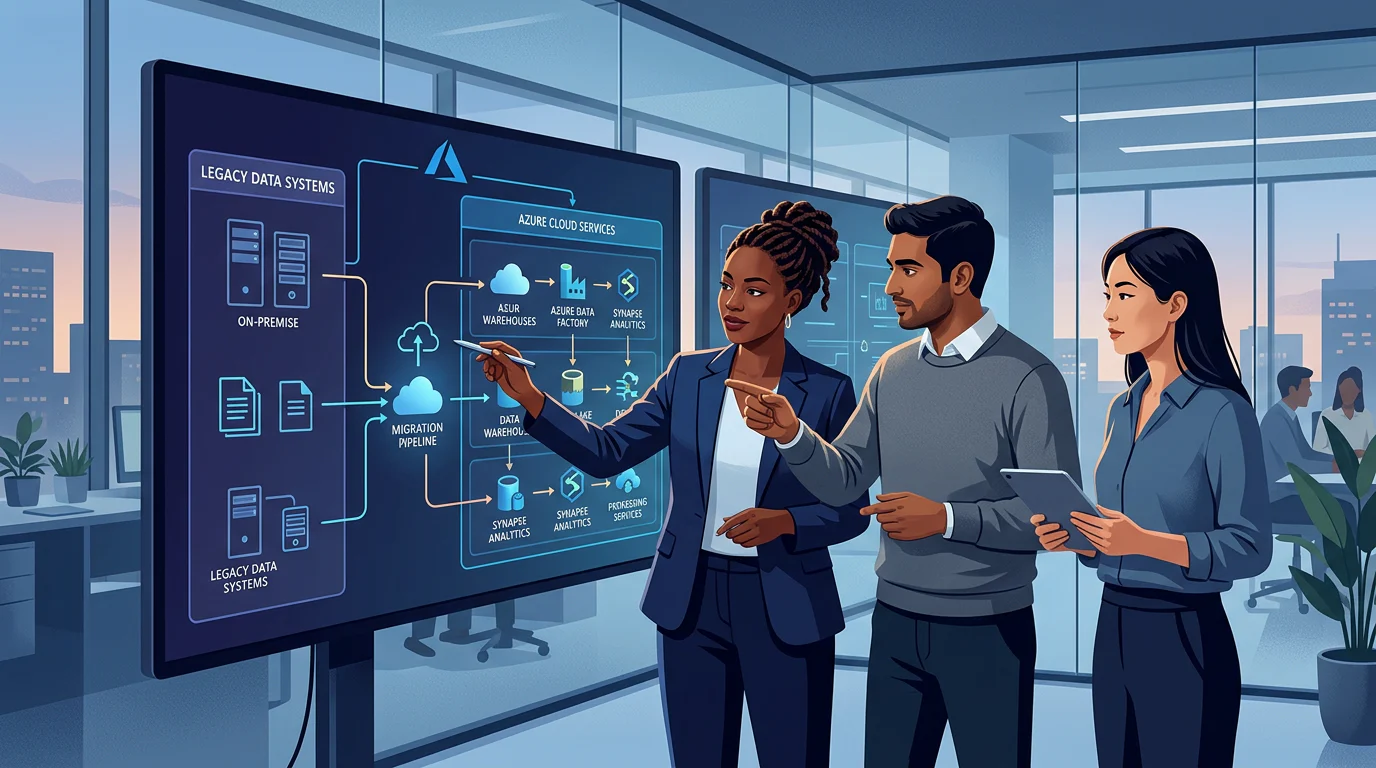
How Can You Modernize Legacy ETL Without Rewriting Everything?
Azure migrations become harder when a team cannot prove that a rebuilt pipeline still matches the system it replaced. Azure Data Factory keeps native pipeline-run history for only 45 days, so monitoring and evidence collection need to start before the first production cutover.
Azure teams can modernize legacy ETL without rewriting every pipeline by separating orchestration, connectivity, and transformation decisions. We retain compatible workloads, wrap those needing hybrid access, convert reusable logic, and rebuild only work blocked by scale, latency, security, governance, or maintainability. That sequence preserves proven logic while creating cloud-native deployment and monitoring discipline.
In this decision hub, we show how to inventory the estate, choose a migration path, run hybrid workloads, remove duplicated transformations, implement CI/CD, and validate a safe cutover.
What Legacy ETL Can Azure Teams Retain Without Rewriting?
The first mistake in legacy ETL modernization is treating every existing asset as one thing. An SSIS package, a SQL Agent job, a stored procedure, a script, and a file transfer may all support the same business process, but each has different compatibility, ownership, and operational risks. We start by cataloging every component and its upstream sources, downstream consumers, schedules, credentials, data volume, failure history, and accountable owner.
Then we score each workload on two axes: compatibility and business criticality. Compatibility covers drivers, operating-system dependencies, private-network access, identity, custom code, and runtime support. Criticality covers recovery needs, freshness expectations, financial or regulatory impact, and the blast radius of a bad run. This creates a defensible ETL migration path instead of a migration spreadsheet that treats all pipelines alike.
Build the Inventory Around Decisions
Inventory SSIS packages, SQL jobs, stored procedures, scripts, and file transfers separately. For each asset, record whether its logic is stable, whether it is duplicated elsewhere, whether it requires an on-premises driver, and whether it has a tested recovery procedure.
Separate Stability from Supportability
A stable workload is not automatically a good candidate to retain forever. We can retain a reliable package temporarily while isolating its credentials, centralizing its monitoring, and documenting its transformation contract. Hard-coded secrets, unsupported dependencies, and single-owner runbooks are signals to wrap, convert, or rebuild.
Microsoft’s migration guidance supports assessing packages for blockers before moving them, rather than assuming every workload needs a new implementation. That assessment lets us preserve working logic while targeting refactoring effort where it changes risk or business value. SSIS migration guidance
Which Modernization Path: Retain, Wrap, Convert, or Rebuild?
The right path is not determined by age alone. A low-latency event workload with unpredictable volume may need a new streaming design, while a nightly financial close package may be safer to lift first and refactor later. We compare latency, scale, supportability, security, and transformation complexity together, then choose the smallest change that resolves the real constraint.
| Path | Choose It When | Azure Pattern | Main Risk To Control |
|---|---|---|---|
| Retain | Logic is compatible, stable, and meets current SLA needs | Keep the workload, improve deployment and monitoring | Hidden support debt |
| Wrap | Existing logic works but needs cloud scheduling or hybrid connectivity | ADF orchestration with self-hosted or Azure-SSIS IR | Treating a bridge as a permanent architecture |
| Convert | Similar transformations recur across teams or environments | Parameterized pipelines, shared notebooks, templates | Recreating one-off assets |
| Rebuild | Scale, latency, security, or governance requirements exceed the old design | Event ingestion, cloud transformation, governed outputs | Big-bang migration risk |
Azure Data Factory provides three runtime types: Azure integration runtime, self-hosted integration runtime, and Azure-SSIS integration runtime. That gives us a practical bridge-first option for compatible workloads, rather than forcing every pipeline into a rewrite before it can move.
Use a Weighted Decision Matrix
Assign each workload a score from one to five for latency, scale, supportability, security, and transformation complexity. A package with high business criticality but low transformation complexity can be wrapped first. A heavily duplicated transformation with weak supportability is a stronger candidate for conversion.
Rebuild Only for a Clear Reason
Rebuild when the workload needs durable streaming, materially lower latency, new governance controls, or a transformation model that the legacy platform cannot support. This is where we use the Azure ETL tools discussion to separate a technical preference from a real workload requirement.
How Does Hybrid Execution Bridge On-Premises and Azure During Modernization?
Hybrid execution works when orchestration, connectivity, and compute are treated as separate layers. Azure Data Factory can coordinate schedules, dependencies, copy operations, monitoring, and calls to external compute. Self-hosted integration runtime bridges private networks and on-premises sources, while Azure-SSIS integration runtime provides managed execution for compatible SSIS packages.
Azure integration runtime is suited to cloud data movement and managed transformation. Synapse Pipelines can fill a similar orchestration role for teams already operating in Synapse, although it does not support Azure-SSIS integration runtime. Fabric Data Factory fits teams standardizing data integration around Fabric and OneLake. Azure Databricks is well suited to batch transformation and persistent streaming workloads, with the orchestration layer dispatching or observing those jobs as part of one operating model. Integration runtime roles
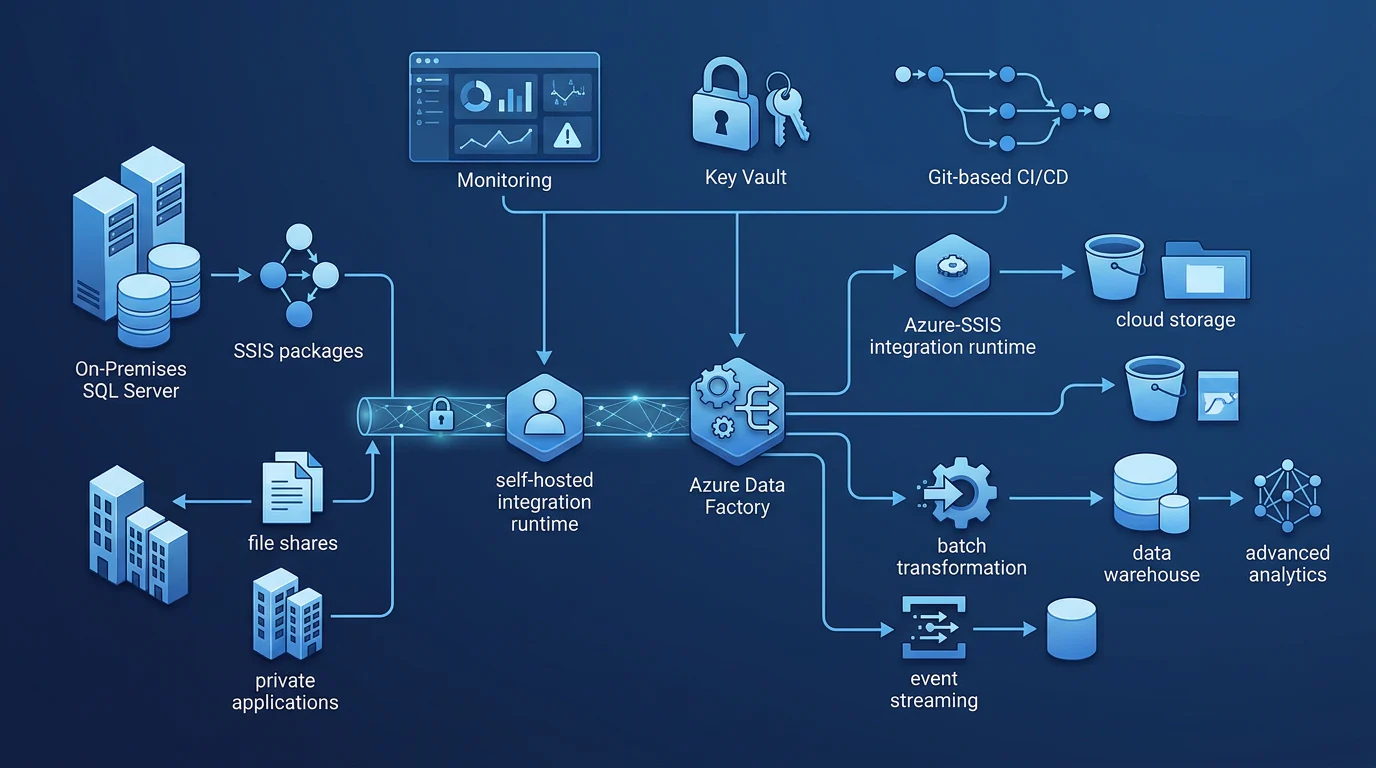
| Legacy Component | Migration Action | Azure Role | Validation Signal |
|---|---|---|---|
| SSIS package | Retain or wrap | Azure-SSIS IR and ADF | Package outcome, rows, and checksum |
| SQL Agent job | Wrap or convert | ADF or Synapse Pipeline trigger | Schedule and run-status parity |
| Stored procedure | Retain or parameterize | Azure SQL or pipeline activity | Row counts and duration |
| Script | Wrap or rebuild | Activity dispatch or managed compute | Exit code and idempotency |
| File transfer | Convert | Copy activity and self-hosted IR | File count, bytes, and hash |
| Event feed | Rebuild | Event Hubs and streaming compute | Lag, duplicates, and checkpoints |
This is why we teach teams to build Azure data pipelines as an operating system, not a set of disconnected jobs. One control plane can govern release, observability, and data contracts even when batch and continuous streaming use different execution mechanics.
How Do Teams Design Reusable Transformations for Batch and Streaming?
Repeated transformations usually come from copied JSON, hard-coded table names, environment-specific logic mixed with business rules, and no shared ownership of common data definitions. The fix is not a bigger catalog of pipeline files. The fix is a reusable unit with inputs, outputs, tests, versioning, ownership, and a clear contract.
For batch workloads, we use parameterized pipelines and reusable transformation assets for ingestion, watermarks, audit columns, data quality checks, and error handling. For streaming workloads, we preserve the same canonical schema and business rules, but add checkpointing, late-event handling, retry behavior, and lag monitoring. Event Hubs can ingest millions of events per second, so a streaming design needs explicit operational controls rather than a nightly batch pattern running more often.
Parameterize the Repeated Parts
Parameters belong around source paths, table names, key columns, watermarks, schemas, and environment references. They should not obscure business logic. When the business rule changes, we version a distinct transformation instead of building a maze of conditional parameters.
Share a Transformation Contract
A reusable transformation contract identifies accepted schema, quality checks, output location, owner, refresh expectation, and recovery behavior. Shared notebooks and templates can implement that contract, but the contract is what makes reuse safe across teams.
Keep Batch and Streaming Semantics Aligned
Batch and streaming can share definitions of customer, order, product, and quality rules without pretending they have identical processing behavior. We use a batch and streaming pipeline model to coordinate release and governance while preserving the checkpointing and recovery needs of continuous processing.
How Is Azure DevOps CI/CD Implemented for Data Pipelines?
Data-pipeline CI/CD should make production safer, not simply move files faster. We connect the development environment to Git, use pull requests for review, validate changes against representative data, and promote approved artifacts through Dev, Test, and Prod. Production is deployed through the release process, not edited directly.
For Azure Data Factory, Microsoft recommends Git integration for development and CI/CD deployment to test and production environments. It also recommends pre-deployment and post-deployment scripts to manage triggers safely. ADF CI/CD guidance
Keep Development in Git
Version pipeline definitions, data flows, notebooks, SQL, infrastructure templates, schema contracts, test fixtures, and deployment scripts. Exclude credentials, production extracts, and generated logs. A pull request should show what changed, what will be affected, and how the team tested it.
Validate Before Release
Run structural validation, connection tests, representative-data tests, schema checks, row-count comparisons, idempotency checks, and trigger-state checks. Keep the release artifact version and deployment manifest so a rollback is a deliberate redeployment of a known-good state.
Secure Secrets and Configuration
Use managed identities and Key Vault for credentials, while environment-specific configuration stays outside source-controlled transformation logic. Separate development, test, and production secrets so developers do not need production access merely to build a pipeline. Our pipeline modernization plan helps teams turn these controls into a repeatable delivery workflow.
How Do Teams Validate Cutover and Retire Legacy ETL Safely?
Cutover is a test of evidence, not optimism. We run old and new workloads in parallel for an agreed period, then compare row counts, primary-key uniqueness, business-period aggregates, rejected records, freshness, duplicates, and late-arriving data. The migration owner, data owner, and downstream consumer should agree on acceptance criteria before the release window.
Observability must cover pipeline outcomes, duration, throughput, retries, stream lag, quality failures, and the cost of a successful run. Route operational data to Log Analytics before parallel runs begin, so the team can investigate differences across workloads and preserve more history than the service’s native run view. Monitoring guidance
Follow a Seven-Step Cutover Checklist
- Inventory and classify every workload by compatibility and business criticality.
- Establish connectivity, identity, secrets, diagnostics, source control, and environment configuration.
- Move low-risk workloads first, using a retained or wrapped pattern.
- Run old and new workloads in parallel with workload-parity tests.
- Consolidate common transformations into versioned reusable assets.
- Cut over only after reconciliation, performance, rollback, alerts, and ownership gates pass.
- Decommission legacy schedules, credentials, runbooks, and infrastructure only after every dependency confirms readiness.
Use a Cost Worksheet Before Choosing a Path
| Cost Input | Calculation | Decision Use |
|---|---|---|
| Activity runs | Monthly successful and failed activity runs | Identifies orchestration overhead |
| Runtime hours | Active Azure-SSIS nodes and transformation-compute hours | Shows retained-runtime cost |
| Data movement volume | GB moved, regions, DIU-hours, and peak throughput | Reveals movement and transfer exposure |
| Support effort | Manual remediation hours multiplied by loaded hourly cost | Measures operational debt |
| Failure rate | Failed and retried runs divided by total runs | Exposes avoidable consumption |
For a dated public baseline, East US cloud orchestration was $1 per 1,000 activity runs and cloud data movement was $0.25 per DIU-hour when checked on August 29, 2026. We always recheck published pricing for the team’s region and agreement before treating a model as a budget.
A governed data product gives every cutover a defined owner, contract, and support boundary. That is the operational advantage behind a governed lakehouse, and it prevents a successful migration from becoming an unmaintainable collection of cloud jobs.
Build the Capability with Vision Board
Vision Board helps Azure data-engineering teams turn this decision system into working capability. We teach the practical judgment behind retain, wrap, convert, and rebuild choices, then apply it to real pipeline dependencies, reusable transformations, Git workflows, and cutover evidence. Our learning is deliberately project-led: teams practice documenting a legacy estate, routing private connectivity, parameterizing shared assets, promoting changes safely, and reading operational signals before production decisions harden into expensive habits.
We also help leaders create a common language between engineers, platform owners, and delivery stakeholders, so modernization does not become a series of disconnected rewrites. Whether your next move is a controlled SSIS lift, a shared batch pattern, or a streaming data product, we help your team make the trade-offs explicit and repeatable. Build that capability through a guided, production-minded program that improves delivery confidence across the full lifecycle with Vision Board.
FAQs on Legacy ETL
These answers address the decisions teams most often need to make before moving a production workload. Use them alongside the inventory, decision matrix, and cutover controls above.
Can We Run SSIS Packages in Azure Without Rewriting Them?
Yes. Azure-SSIS Integration Runtime runs compatible packages in managed Azure compute, while Data Factory supplies scheduling, monitoring, deployment, and hybrid connectivity without needing a complete rewrite.
When Should We Wrap a Legacy Workload Instead of Converting It?
Wrap a workload when its logic is dependable but its scheduling, connectivity, or observability must change. Convert it when reuse, maintainability, or scalability requires new components.
Can One Operating Model Support Batch and Streaming Pipelines?
One operating model can govern deployment, monitoring, and data contracts for both modes. Continuous streams still need durable processing, checkpointing, alerting, and recovery behavior of their own.
How Do We Know a Legacy ETL Cutover Is Safe?
Cut over only after agreed reconciliation passes, performance targets hold, rollback is rehearsed, alerts are live, ownership is assigned, and every downstream dependency has confirmed readiness.