
Which Azure ETL Migration Path Fits Each Legacy Pipeline?
Choose an Azure ETL migration path with a workload scorecard, service maps, reusable logic guidance, and a safe cutover flow.
Which Azure ETL Migration Path Fits Each Legacy Pipeline?
Legacy ETL estates rarely fail because every package is old. They fail because dependencies, network boundaries, and custom logic are hidden until delivery begins. A self-hosted integration runtime can scale across up to 4 nodes, which makes network design a portfolio decision rather than a per-pipeline afterthought.
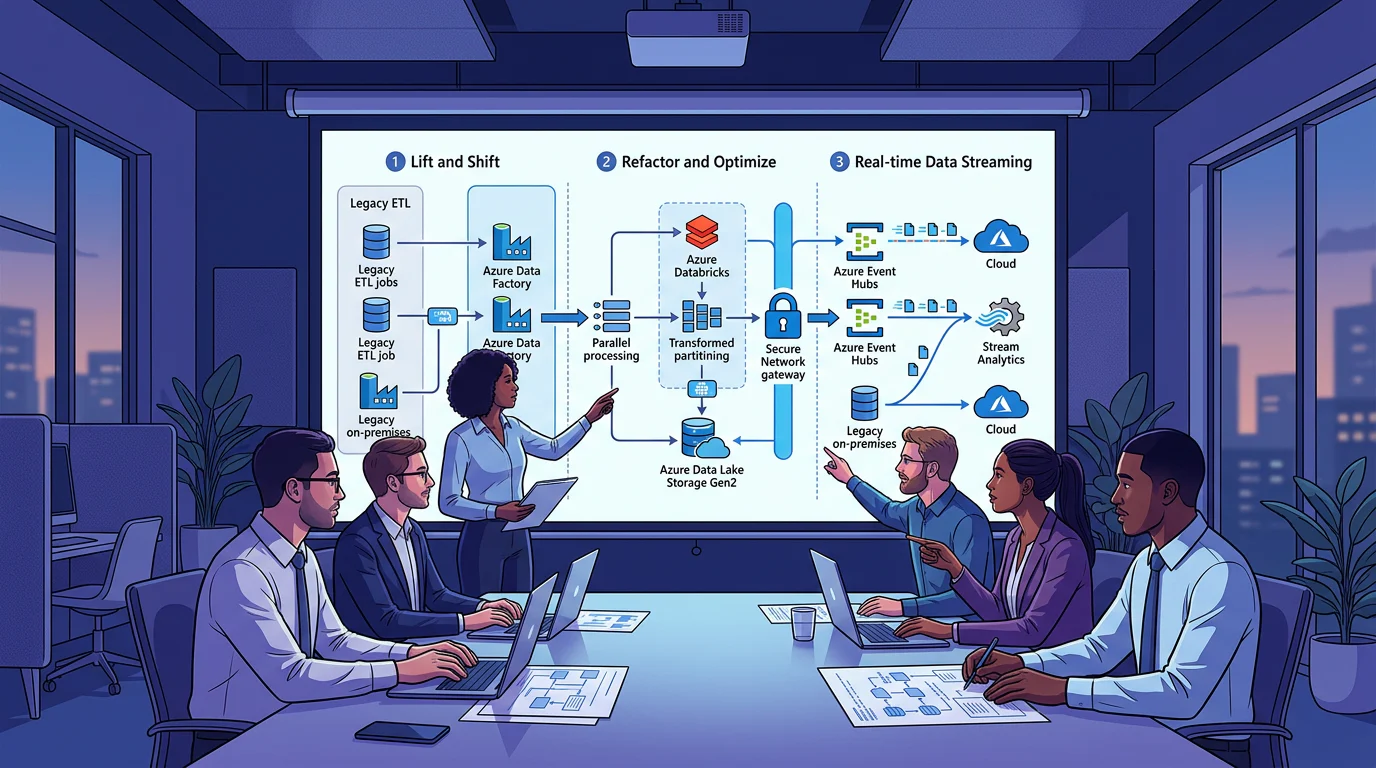
We choose an Azure ETL Migration Path by how much working logic can remain intact. Re-host compatible SSIS packages when speed and minimal change matter, use managed connectors and ELT for repeatable data movement, and refactor workloads whose custom code, streaming needs, or scale justify redesign. Classify the portfolio before estimating effort.
Here, we show how to classify legacy workloads, map them to Azure services, preserve the logic worth keeping, and cut over without turning every migration into a rewrite.
Which Azure ETL Migration Path Fits Each Legacy Pipeline?
We start with a simple principle: do not select a service before identifying what must survive the move. A package with stable transformations and familiar operational behavior has a very different risk profile from a high-volume Python job or a continuously running event pipeline.
Our legacy modernization guide explores gradual change. This page narrows that approach into a practical decision: direct lift, automated ELT, or manual refactor.
| Migration Path | Eligible Workloads | Reusable Logic | Candidate Target Services | Effort | Runtime Constraints | Rollback Option |
|---|---|---|---|---|---|---|
| Direct Lift | Compatible, stable SSIS packages | Packages, parameters, deployment patterns | Azure Data Factory, Azure-SSIS IR, SSISDB | Low to medium | Drivers, paths, Windows authentication, DNS, assemblies | Retain legacy scheduling during parallel runs |
| Automated ELT | Repeatable extracts, standard joins, portable SQL | Data mappings, rules, reconciliation checks | Data Factory connectors, self-hosted IR, Copy, Mapping Data Flows, stored procedures | Medium | Connector support and private-network reachability | Redeploy the last approved pipeline release |
| Manual Refactor | Custom code, stateful processing, real-time streams | Data contracts, business rules, test cases | Data Factory orchestration, Azure Functions, Batch, Event Hubs, Stream Analytics | High | Code redesign, latency, scaling, observability | Keep legacy processing until acceptance criteria pass |
Choose Direct Lift When Operational Continuity Wins
Direct lift is the sensible route when a compatible package already performs the required transformation and the immediate goal is to leave on-premises infrastructure. Azure-SSIS IR supports running SSIS packages in managed Azure compute, while keeping familiar deployment tooling and execution patterns available through SSIS migration guidance.
Choose Automated ELT When Patterns Repeat
Automated ELT earns its place when multiple pipelines repeat the same extraction, landing, and transformation steps. We preserve the rule, then rebuild the implementation as parameterized connectors, reusable data flows, and managed orchestration.
Choose Manual Refactor When Architecture Is the Constraint
Refactor when code, throughput, or latency makes package preservation a liability. The goal is not to reproduce every task visually. It is to retain the business behavior, test it, and give the workload an execution model that fits its future requirements. For broader sequencing advice, see our migration decision hub.
How Do You Score an Azure ETL Migration Path?
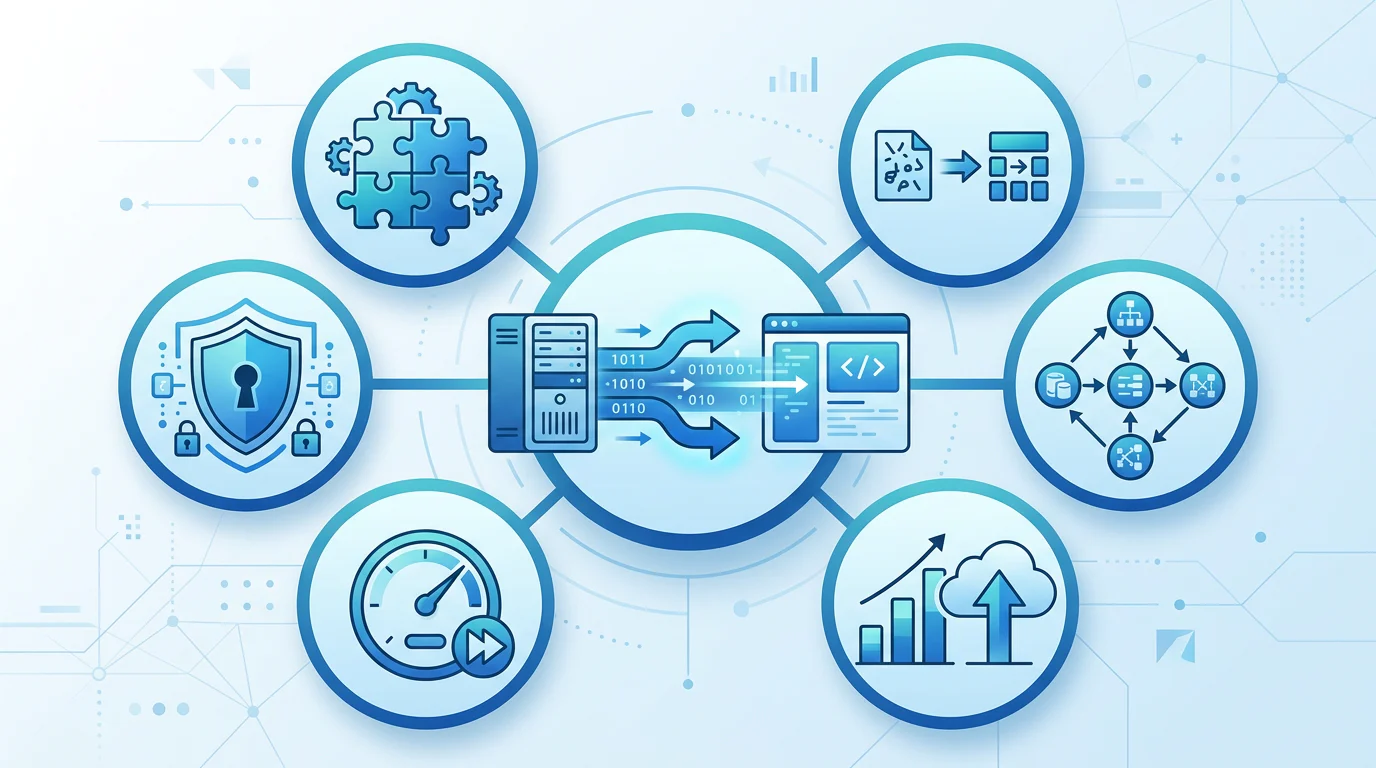
A portfolio should not be sorted by package age alone. We score each pipeline across six factors: source connector availability, transformation depth, custom dependencies, throughput, latency, and network constraints. Each factor receives a low, medium, or high migration concern rating.
Assess Connectors and Network Reachability
Native connectivity lowers migration risk, but private sources, specialist drivers, and firewall rules change the recommendation quickly. We use a self-hosted runtime when a source must remain reachable from a private environment, because Azure's IR configuration guide distinguishes managed and self-hosted capabilities for those scenarios.
Measure Transformation Depth and Custom Dependencies
Classify simple copies, joins, and portable SQL separately from script tasks, local executables, proprietary drivers, and file-system assumptions. The latter are not automatic refactor candidates, but they do need explicit validation before a direct lift enters a delivery wave.
Estimate the Backlog from Verified Work
Our worksheet records pipeline count, data volume, run frequency, verified labor hours, owner, dependency status, business criticality, proposed path, and rollback owner. Portfolio hours equal the sum of verified labor hours across classified pipelines. Processing volume helps sequence waves, while verified hours prevent a high-frequency small load from being mistaken for a difficult migration.
Use the rubric to select one representative direct lift, one automated ELT workload, and one exception for the pilot. That mixture exposes portfolio risk earlier than a large batch of superficially similar packages. Our SSIS migration walkthrough can then support teams that need the direct-lift branch in more detail.
Which Azure Services Map to Each Workload?
Azure Data Factory is the control plane for many migration designs, but it is not a promise that every workload runs the same way. We separate orchestration from execution so batch jobs, private sources, and streaming workloads can share standards without forcing identical runtimes.
| Legacy Workload | Candidate Azure Design | What We Reuse | What We Rebuild | Decisive Constraint |
|---|---|---|---|---|
| SSIS package | Azure-SSIS IR and Data Factory | Package structure and parameters | Environment dependencies and scheduling controls | Compatibility validation |
| Third-Party ETL Suite | Managed connectors and ELT, or refactor | Source-target mappings and business rules | Package control flow and platform-specific components | Portability of transformations |
| SQL Stored Procedures | Data Factory Stored Procedure activity | SQL logic and parameters | Deployment and environment configuration | Target database support |
| Custom Python Job | Azure Functions or Batch, orchestrated by Data Factory | Contracts, tests, reusable libraries | Execution packaging, scaling, telemetry | Runtime dependency depth |
| Event Pipeline | Event Hubs and Stream Analytics | Schemas and event contracts | Stateful processing and latency controls | Continuous processing requirement |
Bridge On-Premises Sources Without Rewriting Them First
A self-hosted integration runtime creates the bridge between cloud services and private or on-premises data stores. We use it to move data, invoke supported activities, and keep driver-dependent access close to the source while Azure Data Factory schedules the wider workflow.
Handle Nightly Loads and Real-Time Events Honestly
Nightly warehouse loads and continuous events can share governance, monitoring, and release practices, but their execution is different. Event Hubs is built for high-throughput event ingestion and can capture data for batch analysis, while Stream Analytics processes the live path, as the streaming reference explains.
Keep Orchestration Consistent Across Storage Accounts
When jobs span several storage accounts, hard-coded connection details create duplicate pipelines. We use linked-service and data-flow parameters so one tested pattern can target different accounts, containers, and environments. Our pipeline design guide shows how that orchestration layer fits into a broader Azure delivery design.
What Can You Reuse and What Must Be Rebuilt?
The migration question is not whether a package can be copied. It is whether the executable artifact, the business rule, and the operating model should all move together. Those are separate decisions, and treating them as one is what creates unnecessary rewrites.
Preserve Business Rules, Not Accidental Coupling
Direct lift can retain compatible packages and package parameters. Automated ELT can retain mappings, SQL logic, source-to-target rules, and reconciliation checks. Manual refactor should retain contracts, test data, error behavior, and domain rules, even though it replaces the execution code.
Rebuild Connections, Control Flow, and Secrets Deliberately
Connections, retries, trigger behavior, credentials, and environment values should be rebuilt as managed assets. Data Factory supports linked-service parameters, which lets us replace repeated connection definitions with one reusable pattern.
Stop Copying Transformations Across Projects
Duplicate transformation work usually starts with a hard-coded connection or a project-specific copy of a familiar cleaning rule. We counter it with parameterized templates, shared naming conventions, code review, and reusable flowlets where appropriate. We also document inputs, outputs, ownership, and test expectations before a reusable component is adopted.
For teams deciding whether a low-code transformation route fits their skills and constraints, our Azure ETL tool guide provides a focused next step.
How Do You Migrate with Safe Cutovers?
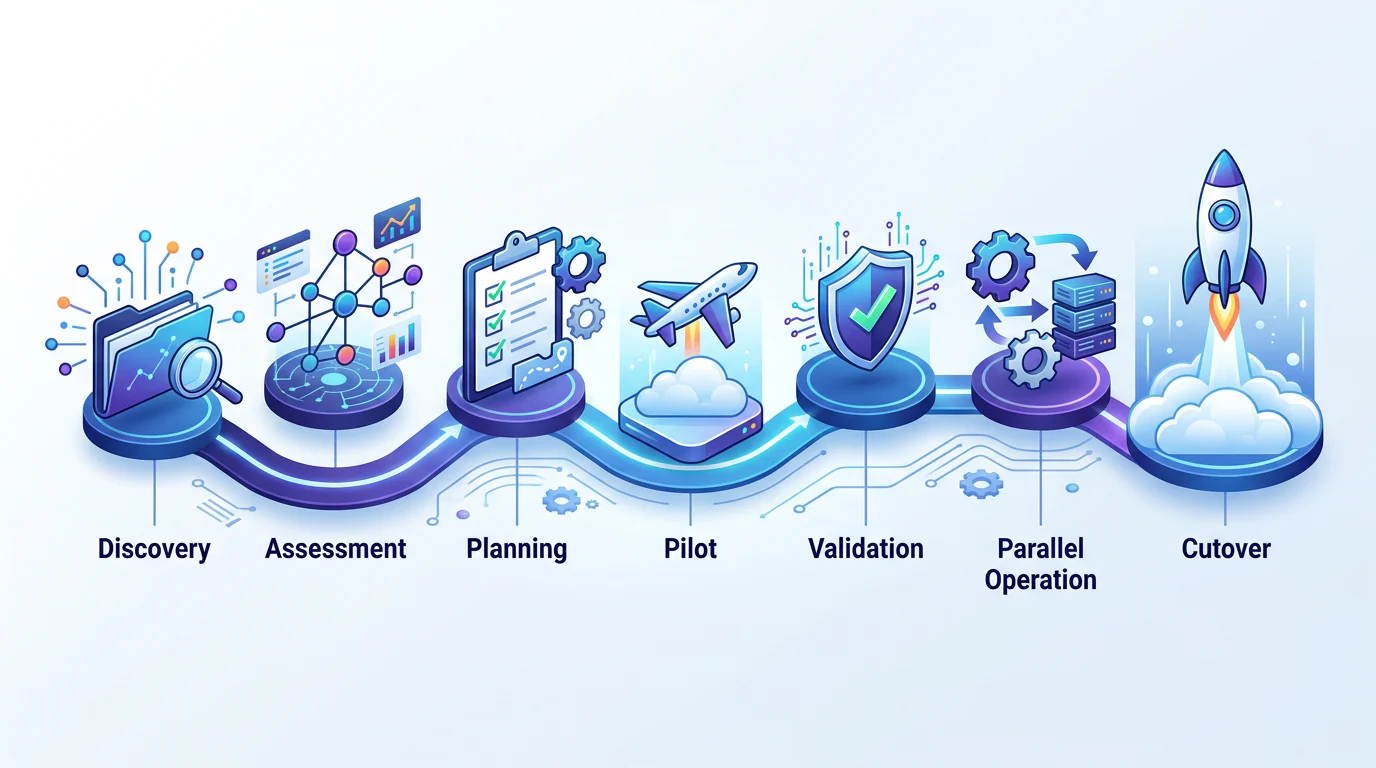
A safe migration is a sequence of evidence, not a calendar date. We build each wave around a defined acceptance test and a named rollback decision owner, so the team can distinguish a successful deployment from a successful production transition.
- Inventory: Record packages, schedules, sources, targets, owners, and business criticality.
- Map Dependencies: Identify credentials, drivers, files, stored procedures, networks, and downstream consumers.
- Classify Workloads: Apply the six-factor rubric and identify exception gates.
- Run A Pilot: Build one representative workload for each selected migration path.
- Validate Outputs: Reconcile row counts, control totals, freshness, schemas, errors, and performance.
- Parallel Run: Operate legacy and Azure versions through an agreed business cycle.
- Cut Over: Switch only after acceptance criteria pass, while retaining a tested rollback release.
We use source control for development, controlled promotion for test and production, and release artifacts that can be redeployed. Azure's deployment guidance recommends Git integration for development and CI/CD promotion into later environments, which supports that separation.
Monitoring should cover failed runs, latency, volume, data-quality checks, and dependency health. Lineage should explain the source, transformation route, and destination, while Key Vault and managed identities keep secrets out of pipeline definitions. Our batch-streaming architecture helps teams extend these controls when a portfolio combines scheduled loads with live events.
Build Your Azure Migration Practice with Vision Board
At Vision Board, we help Azure data engineers turn migration decisions into work that can survive production reality. We use portfolio exercises to make teams classify dependencies, parameterize connections, test transformations, and explain why one workload deserves a lift while another deserves a redesign. That practice is useful before a project begins and when a migration has already stalled under duplicated logic and unclear ownership. Our project estimator helps frame the scope, while our Azure learning paths help teams strengthen the practical skills behind orchestration, storage, testing, and governed delivery. Bring a real pipeline inventory, not a generic architecture diagram, and we will help you turn it into an ordered backlog with defensible validation and rollback decisions through guided labs, peer review, and structured documentation that make the design choices easier to repeat across projects and environments. Start with Vision Board.
FAQs on Azure ETL Migration Path
When Should We Use Azure-SSIS IR?
Use Azure-SSIS IR when package compatibility, familiar deployment, and speed outweigh redesign benefits. First validate drivers, paths, authentication, DNS, and custom assemblies before committing to cutover.
When Is a Self-Hosted Integration Runtime Needed?
Use a self-hosted integration runtime when sources or compute sit in a private network, need local drivers, or cannot expose endpoints for managed cloud access. Plan availability too.
Can One Design Support Batch and Streaming?
A unified operating model can govern both. Continuous events need streaming ingestion and processing, while batch dependencies need scheduling, then monitoring, security, contracts, and release practices.
How Should We Estimate Migration Backlog?
Start with pipeline count and verified labor hours, then record data volume, frequency, dependencies, and criticality. Sum classified estimates, rather than applying one assumed duration to every pipeline.