Azure Data Factory vs Microsoft Fabric Learning Path: What Should You Learn?
Azure Data Factory vs Microsoft Fabric learning path for hybrid pipelines, Delta Lake, Spark, OneLake, Power BI, and portfolio-ready projects.
Azure Data Factory vs Microsoft Fabric Learning Path: What Should You Learn?
Data teams now choose between an orchestration-first role and a unified analytics role, often while keeping relational systems running. Microsoft’s official Fabric lakehouse curriculum alone spans 7 hours 21 minutes across seven modules, a useful signal that Fabric covers more than moving data.
Choose Azure Data Factory first when you must orchestrate hybrid sources, maintain existing pipelines, or coordinate Azure services. Choose Microsoft Fabric first when your outcome is a shared lakehouse, engineering, semantic-model, and Power BI workflow. Our Azure Data Factory vs Microsoft Fabric learning path shows the shared foundation, distinct tracks, and portfolio proof both roles need.
We will help you identify the right first path, understand where Delta Lake and Spark fit, and judge whether a learning resource teaches production habits rather than product navigation.
Should You Learn Azure Pipelines or Fabric First?
Start with the work already on your desk, not a product trend. If your team operates private-network sources, existing SSIS packages, Azure Databricks jobs, or a mature estate of scheduled pipelines, Azure Data Factory is the practical first specialization. If your team needs one governed place to ingest, transform, model, and report on data, Fabric gives you a more integrated destination.
The distinction matters because the two platforms overlap without being interchangeable. The current official comparison says roughly 90% of Azure Data Factory activities are available in Fabric Data Factory, but runtime choices, SSIS capabilities, private networking, deployment patterns, and workspace governance still shape the real decision.
| Your Starting Point | Learn First | Why It Fits | Add Next |
|---|---|---|---|
| On-premises or private-network sources | Azure Data Factory | Self-hosted integration runtime and hybrid orchestration are core concerns | Fabric lakehouse and semantic models |
| Existing Azure pipeline estate | Azure Data Factory | You need to support parameters, triggers, monitoring, and deployment safely | Fabric migration patterns |
| New analytics platform with Power BI | Microsoft Fabric | OneLake, lakehouses, semantic models, and reporting share one environment | Azure pipeline integration where needed |
| SQL-first analyst moving into engineering | Microsoft Fabric | Lakehouse SQL provides a familiar bridge into Delta and Spark | Azure orchestration fundamentals |
| Databricks transformations coordinated by Azure services | Azure Data Factory | Pipeline orchestration and notebook execution are immediate job skills | Fabric for governed consumption |
We recommend treating this as a role decision, not a permanent identity. A pipeline engineer can become more effective by learning lakehouse delivery, and an analytics engineer becomes more credible by understanding reliable orchestration. Teams modernizing established estates can also use our ADF modernization context to plan the transition without assuming every workload should move at once.
How Does an Azure Data Factory vs Microsoft Fabric Learning Path Compare?
Both paths require more than SQL syntax. Strong engineers model business entities, understand file formats, build repeatable transformations, protect sensitive data, and know how to explain a failed run. The difference is where those skills are applied first.
A lakehouse does not discard relational thinking. It extends it. You still need dimensions, facts, grain, constraints, and trusted business definitions. You also need to learn how Delta tables enforce schema, how Spark executes distributed transformations, and how bronze, silver, and gold layers make data progressively more usable. Fabric lakehouses support Delta, Spark, SQL, and Power BI in one environment, according to the lakehouse overview.
| Shared Skill | Azure Pipeline Emphasis | Fabric Analytics Emphasis |
|---|---|---|
| SQL And Dimensional Modeling | Prepare dependable source and target transformations | Build trusted tables and semantic models |
| Delta Tables | Coordinate notebook or transformation workloads | Create, optimize, and query managed lakehouse tables |
| Medallion Architecture | Land, transform, and orchestrate layer handoffs | Build bronze, silver, and gold directly in OneLake |
| Spark | Trigger and monitor external compute workloads | Write notebooks and transform distributed data |
| Security | Manage identities, secrets, and network access | Govern workspaces, data access, and downstream use |
| Git And Delivery | Version pipelines and promote environments | Version workspace artifacts and deploy across stages |
For learners coming from relational databases, the best bridge is a small project that lands source data, creates a Delta table, transforms it with SQL or Spark, and exposes a clean dimensional output. Build that mental model before trying to memorize every product surface. Our guides to a governed lakehouse show why the shared foundation matters.
What Belongs in the Azure Pipeline Engineering Track?
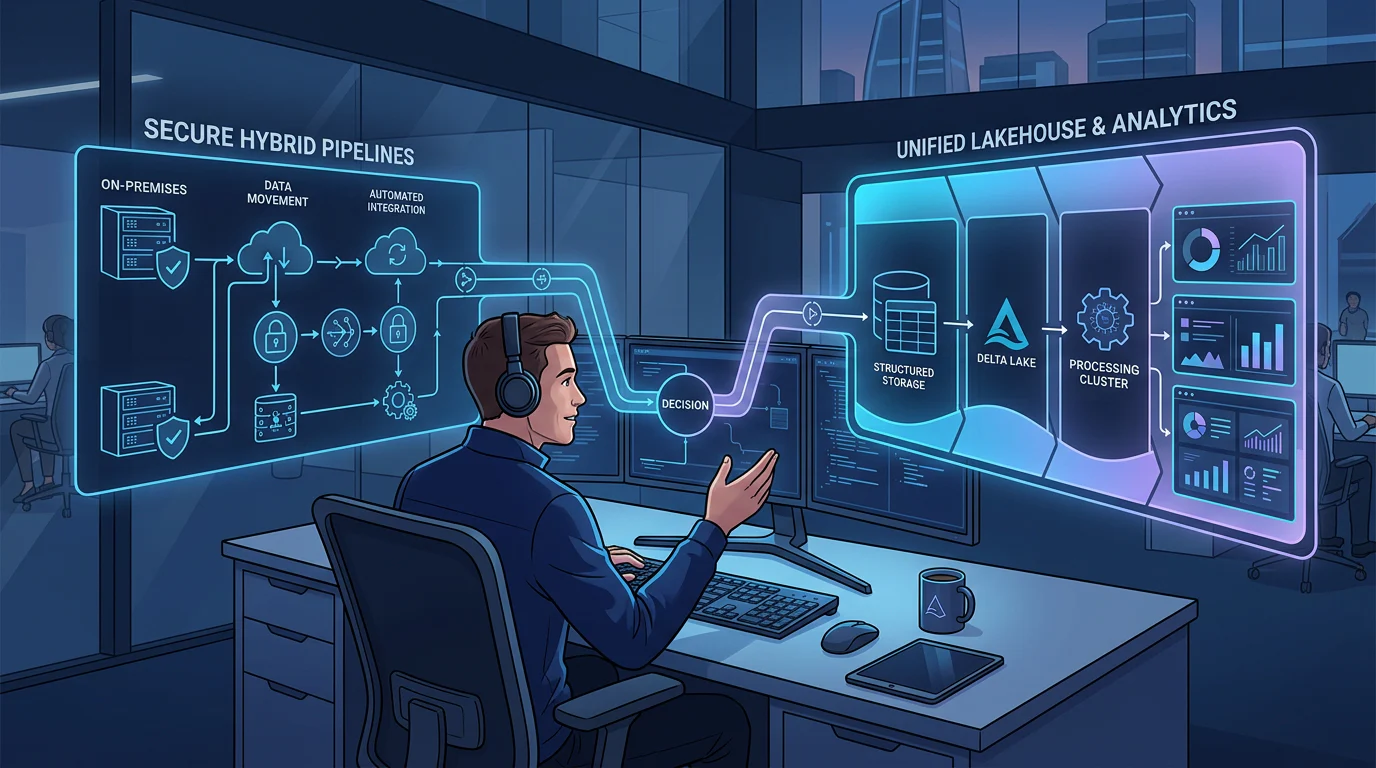
The Azure pipeline track should make you operationally useful. A visually correct pipeline is not enough if it cannot authenticate safely, handle variable inputs, recover from an upstream delay, or show an operator where the failure occurred. The wider unified architecture matters here because orchestration only becomes valuable when it lands data in a usable, governed destination.

Build Hybrid Connectivity and Reusable Orchestration
Learn integration runtimes, linked services, datasets, parameters, triggers, control flow, retry behavior, and secret handling. Self-hosted integration runtime is especially important when a source sits behind a firewall or in a private network. Microsoft’s Azure Data Factory curriculum is 4 hours 38 minutes across six modules, including integration runtimes, parameterization, monitoring, source control, and CI/CD.
Coordinate Databricks and Delta Workloads
Your track should include a pipeline that calls a notebook, passes parameters, records outputs, and fails clearly when a transformation fails. Azure Data Factory can run a Databricks notebook activity, pass pipeline parameters, and surface execution details, which makes it a useful orchestration layer around Delta and Spark workloads.
Test, Monitor, and Recover
A credible project needs a test dataset, data-quality assertion, alerting path, rerun procedure, and explanation of how deployment differs by environment. Practice Git branches, pull requests, Dev/Test/Production variables, and incident diagnosis. Our practical guide on how to build Azure pipelines can help you turn those requirements into a project brief.
What Belongs in the Fabric Analytics Engineering Track?
The Fabric track is not simply an Azure pipeline course with a different interface. It is an analytics engineering route that connects storage, transformation, governance, semantic modeling, and reporting around OneLake. That integration is why it suits teams building a new shared analytics environment.
Build the Lakehouse Foundation
Start with OneLake, lakehouses, Delta tables, shortcuts, and the bronze, silver, gold pattern. Learn enough Spark to create and inspect transformations, then use SQL to validate results and connect with the skills you already have. Microsoft describes OneLake as the shared logical lake beneath Fabric workloads, including Data Engineering, Data Factory, and Power BI, in its platform overview.
Connect Engineering to Analytics Consumption
A complete track includes Dataflows Gen2, pipelines, notebooks, semantic models, and Power BI. Your project should finish with a dimensional model and a report that consumes curated data, not a dashboard built from an ungoverned extract. This creates a natural path from ingestion through trusted business definitions.
Govern and Deploy the Work
Treat Git, workspace permissions, sensitivity labels, deployment pipelines, and monitoring as engineering skills. Fabric’s CI/CD tools support repository integration, stage promotion, variables, APIs, and automation, but teams should verify that the exact artifact types they use are supported. To assess whether a course’s exercises go beyond click-through demos, use our Fabric lab audit.
Which Resources and Projects Prove Full-Stack Readiness?
A useful resource shows its depth through its labs and outputs. We look for current update evidence, clear access terms, Delta coverage, Fabric coverage, Azure Data Factory coverage, instructor access where claimed, and a project that includes failure handling. A course that promises everything but never asks you to deploy, troubleshoot, or explain an architecture has a limited portfolio value.
| Resource Type | Price Or Access Signal | Recency Signal | Best For | Gap To Close |
|---|---|---|---|---|
| Official Azure Pipeline Curriculum | No listed course fee | Current Microsoft Learn catalog | Azure orchestration, integration runtimes, CI/CD | Add a Delta and notebook project |
| Official Fabric Lakehouse Curriculum | No listed course fee | Current Microsoft Learn catalog | OneLake, Delta, Spark, pipelines, medallion | Add production incident practice |
| Commercial Self-Paced Course | Check access terms before enrolling | Confirm the latest curriculum revision | Flexible product familiarity | Verify mentoring and lab realism |
| Instructor-Led Program | Confirm public tuition and cohort date | Confirm the active syllabus | Live questions and guided labs | Demand project evidence |
| Project-Led Training | Confirm format and access duration | Confirm current tools and scenarios | Portfolio and operational practice | Check whether feedback is substantive |
We suggest using a learning resource as a scaffold, not a substitute for proof. The official Fabric path includes modules on Spark, Delta, Dataflows Gen2, pipelines, and medallion architecture, but your portfolio should connect those elements in one scenario.
Build one end-to-end project with all of the following:
- Schema Evolution: Change a source field and show how the pipeline or table handles it.
- Incremental Loading: Process only new or changed records and explain the watermark or change-tracking logic.
- Streaming: Ingest events or simulated continuous data into a Delta-based flow.
- Data Quality: Quarantine invalid records and make the failure visible to an operator.
- Security: Use role-based access, managed identities, or governed workspace permissions.
- CI/CD: Promote a change through environments with Git and environment-specific configuration.
- Operational Troubleshooting: Document one failure, the signal that exposed it, and the recovery action.
Once you have defined those project conditions, compare resources by what they force you to demonstrate, not by the number of tools in a syllabus. Our learning paths compared page can help you identify what to add when a curriculum stops at product features.
How Can Vision Board Help You Build the Right Path?
At Vision Board, we help working data professionals turn a product choice into a defensible engineering path. We teach the shared habits that survive platform changes: modeling data carefully, building reliable loads, using Delta intentionally, versioning changes, and explaining operational tradeoffs. Then we make the tracks concrete. Pipeline-focused learners practice orchestration, hybrid integration, monitoring, and notebook coordination. Fabric-focused learners connect OneLake, notebooks, semantic models, governance, and Power BI into one deliverable. Our goal is not to rush you through screens or promise a fixed completion date. It is to help you leave with an artifact you can explain to a hiring manager or improve inside your team, including its assumptions, tests, failure modes, and deployment path. We also help database-first learners practice unfamiliar distributed concepts without losing the business context they already bring. Explore our course options to choose a format that fits your work and schedule.
FAQs on Azure Data Factory vs Microsoft Fabric Learning Path
Should I Learn Azure Data Factory or Microsoft Fabric First?
Choose Azure Data Factory for private-network sources, existing pipelines, and Azure orchestration. Choose Fabric when you are building a new lakehouse, semantic-model, and reporting workflow.
Can Azure Data Factory Work with Databricks and Delta Lake?
Yes. Azure Data Factory can trigger Databricks notebook jobs and pass parameters, while Delta tables provide the reliable storage layer your notebook transformations should read and write.
Can a Relational Database Professional Start with Fabric?
Begin with SQL and dimensional modeling, then use a guided lakehouse lab to create Delta tables, transform data in Spark, and query trusted outputs with familiar SQL.
Does Fabric Replace Azure Data Factory?
No. Fabric Data Factory retains familiar orchestration concepts, yet Azure Data Factory remains useful for established estates, hybrid connectivity, SSIS workloads, runtime management, networking, and operations.
What Makes a Data Engineering Lab Portfolio-Ready?
Make it end to end: ingest incremental data, handle schema changes, validate quality, secure access, deploy with Git, monitor failures, and publish an analytical model.