
How to Handle Legacy ETL Migration to Azure Without Rewrites
A workload-by-workload framework for legacy ETL migration to Azure using Azure-SSIS IR, Data Factory, and managed ingestion.
How to Handle Legacy ETL Migration to Azure Without Rewrites
When we help Azure data teams make this move, we do not assume every integration belongs in a new codebase. Azure Data Factory supports more than 80 sources and sinks, which makes the real challenge choosing the right operating path for each workload.
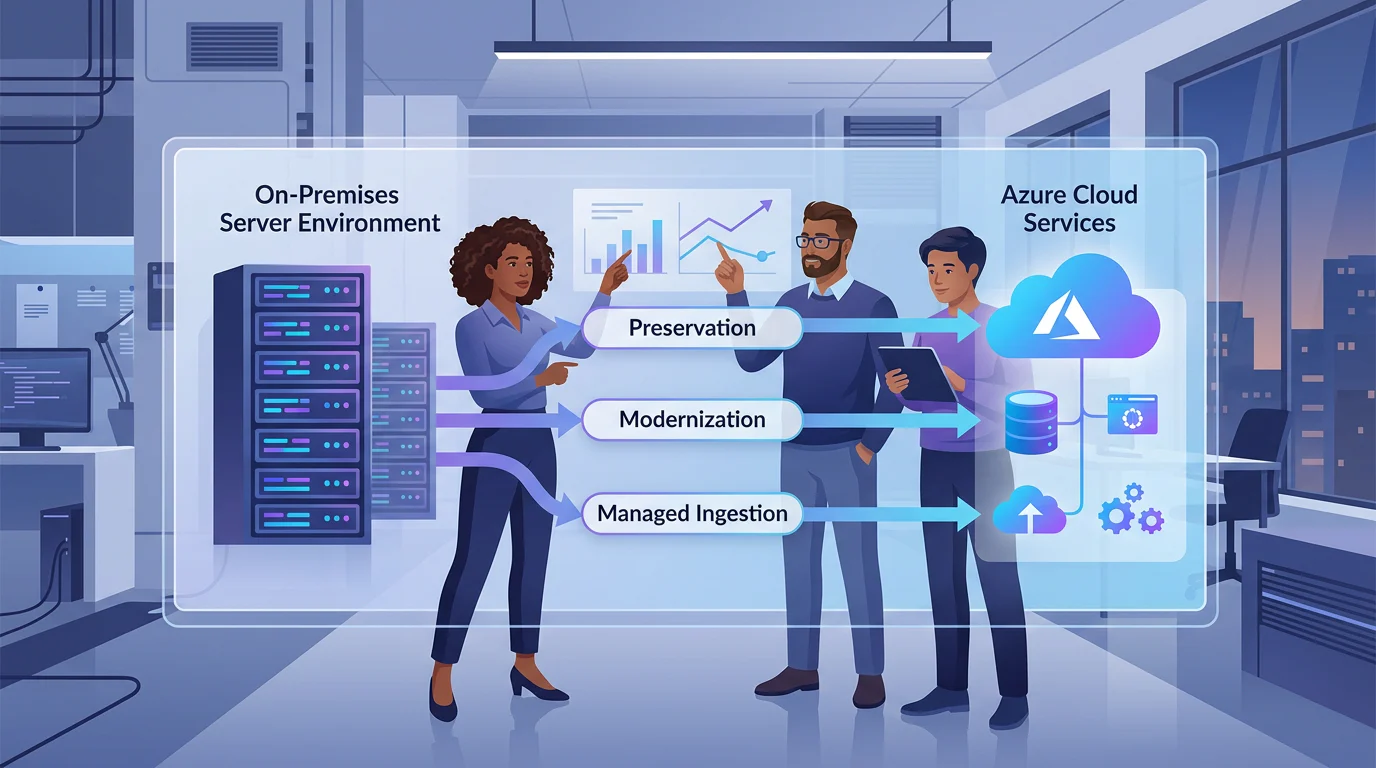
We handle legacy ETL migration to Azure without rewriting every pipeline by sorting each workload into three paths: preserve validated packages on Azure-SSIS Integration Runtime, modernize reusable logic in Azure Data Factory, or replace standard extraction with managed connectors. Compatibility, custom code, dependency risk, network access, latency, and governance determine the path.
We will show how we assess that friction, compare the practical options, build reusable Azure patterns, and prove a cutover before retiring the original estate.
Which Azure Path Fits Each Workload?
We start with the workload, not the tool. A package that still performs reliable, valuable business logic is different from a routine copy job, and both deserve a different migration decision.
| Path | Best Fit | What We Preserve Or Change | Main Validation Gate |
|---|---|---|---|
| Preserve | Compatible SSIS packages with established logic | Existing packages and scheduling patterns | Package compatibility, custom setup, and connectivity |
| Modernize | Repeated business transformations and cloud-native targets | Reusable pipelines, data flows, and parameters | Functional equivalence and operational simplicity |
| Replace | Standard source-to-sink extraction and loading | Managed connector configuration | Connector fit, data quality, and volume testing |
- Preserve: We use Azure-SSIS IR when a package passes assessment and the value is in keeping tested logic running.
- Modernize: We rebuild when parameterized cloud-native assets can remove repeated work across projects.
- Replace: We choose managed ingestion for predictable movement where custom rules do not justify a package.
Azure-SSIS IR can run existing packages after they are deployed through familiar SSIS tooling, but it is not a guarantee that every dependency survives unchanged. The official migration guide separates the work into assessment and migration, which is the sensible order for every estate.
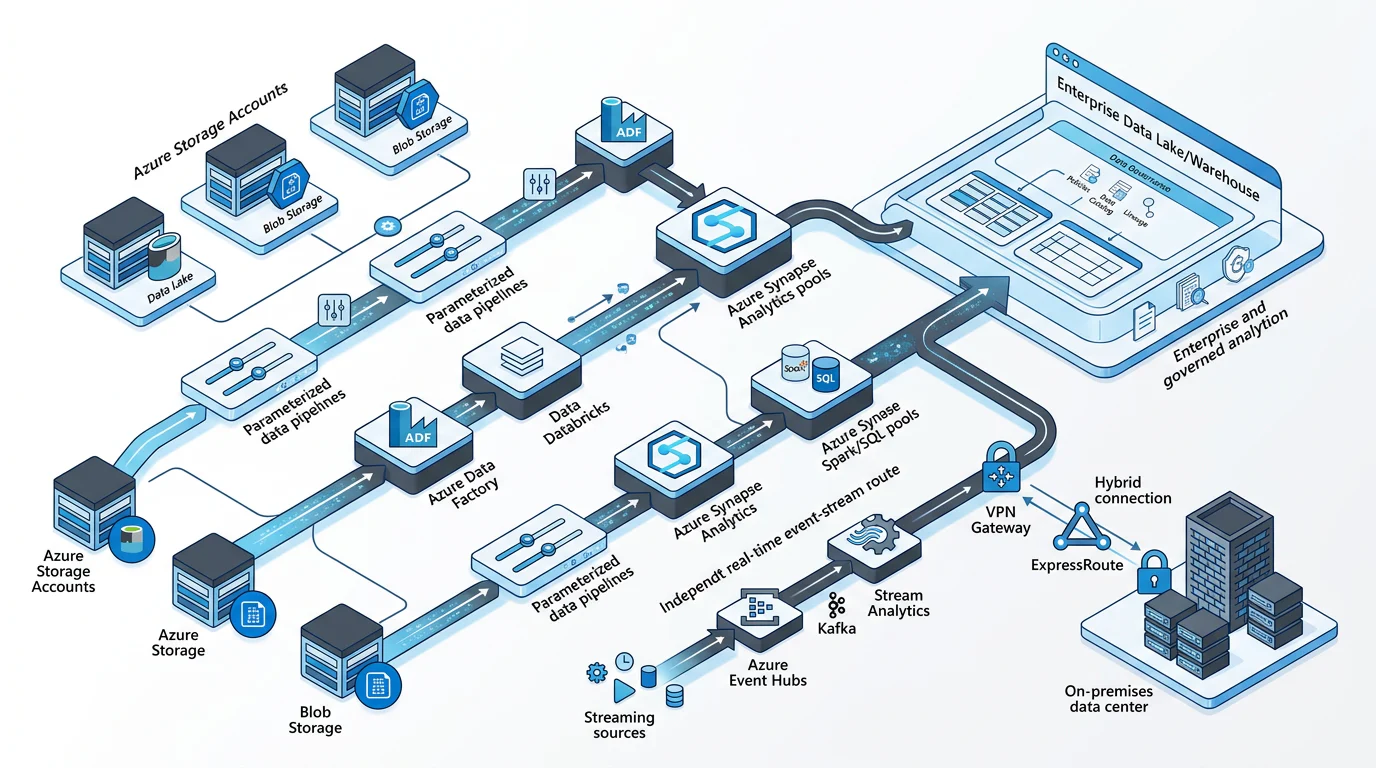
For real-time data, we avoid promising that a batch orchestrator is a streaming engine. Event Hubs can handle high-throughput event ingestion, while Capture can land that same stream for batch analytics, helping teams coordinate both paths without duplicating every source feed. Our related guide on Azure ETL tools helps teams narrow the transformation layer after that initial decision.
How Does Legacy ETL Migration to Azure Work Without Rewrites?
We make the first decision with an inventory, not intuition. Every workload gets a record of its source and target systems, storage location, schedule, service-level expectation, owner, credentials, dependencies, recovery process, and data classification.
Inventory the Work Before Assigning a Path
For SSIS, we assess the project before deployment and save the results with the migration backlog. The package validator can flag known cloud compatibility issues, including script tasks that may depend on unsupported assemblies.
We also record where packages live. SSISDB, file-system deployment, MSDB, and package-store workloads do not follow identical deployment or scheduling paths. That distinction prevents a technically compatible package from becoming an operational surprise later.
Score Seven Sources of Friction
| Assessment Factor | Lower Friction Signal | Higher Friction Signal | Migration Implication |
|---|---|---|---|
| Source System | Standard, reachable connector | Private or legacy access pattern | Test hybrid access first |
| Package Compatibility | No deployment blockers | Unsupported adapter or task | Refactor the blocked step |
| Custom-Code Density | Configuration-led transforms | Scripts, assemblies, local executables | Validate custom setup |
| Dependency Count | Isolated workload | Jobs, shares, packages, credentials | Map sequence and ownership |
| Data Volume | Fits the batch window | Throughput or concurrency risk | Benchmark before cutover |
| Latency Need | Scheduled batch | Near-real-time requirement | Design a separate event path |
| Compliance Need | Standard access controls | Private, audited, restricted data | Add security and lineage gates |
A high score does not automatically mean “rewrite.” It means we need evidence before preserving the workload. A custom driver, for example, may be supportable with Azure-SSIS IR custom setup, while a local executable or brittle share dependency may make modernization the lower-risk choice.
Make the Branch Decision
We choose preservation when the package is compatible, valuable, and operationally supportable. We choose modernization when the same transformations reappear across storage accounts, business units, or environments. We choose replacement when the job is mainly repeatable extraction and loading.
This approach stops teams from treating every old package as either sacred or disposable. It also makes the migration backlog more honest, because packages with real blockers are visible early. For a deeper preservation lens, see our guide to existing logic, then use the same scoring model for each workload family.
How Do the Azure Options Compare in Practice?
We compare paths by compatibility, reuse, hybrid access, delivery controls, governance, operating burden, and cost model. A platform comparison without those dimensions usually creates a procurement list, not a migration decision.
| Option | Lift-And-Shift Support | Transformation Reuse | Hybrid Access | CI/CD | Governance | Operating Model | Pricing Model |
|---|---|---|---|---|---|---|---|
| Azure-SSIS IR | High for validated packages | Existing package logic | Requires tested network design | Package deployment plus ADF controls | Execution lineage has limits | Managed SSIS compute | Node-based runtime usage |
| Azure Data Factory | Rebuild path | Pipelines, data flows, datasets, parameters | Azure or self-hosted IR | Git and deployment pipelines | Runtime lineage for supported assets | Managed orchestration | Activity and runtime consumption |
| Enterprise ETL Suite | Validate package-by-package | Validate repository reuse | Validate agent model | Validate release integration | Validate catalog depth | Vendor-managed or hybrid | Subscription or capacity |
| Managed ELT Service | Usually low for SSIS preservation | Standard connector patterns | Validate private connectivity | Validate Git model | Validate lineage depth | Managed service | Usage or connector based |
| Managed Connectors | No package preservation | Parameterized copy patterns | Azure or self-hosted IR | ADF delivery model | Source and sink dependent | Low infrastructure overhead | Activity and runtime consumption |
We do not use list price as a shortcut, because runtime, data movement, reruns, network design, support effort, and parallel validation all affect the total. Azure Data Factory bills pipeline orchestration and execution by activity and integration-runtime consumption, as its pricing details explain.
The useful question is whether an option reduces future engineering work without weakening governance. Teams comparing broader analytics choices can also review our Synapse options before locking a target operating model.
How Do We Build and Control the Target Operating Model?
We build one repeatable pattern for connections, parameters, releases, monitoring, and ownership. That gives teams a way to modernize selected workloads without creating a different operating model for every Azure project.
Preserve Compatible Packages Safely
When we preserve SSIS, we test package deployment, custom components, network reachability, authentication, file paths, and scheduling before the production pilot. Script tasks and custom assemblies deserve particular attention because they can behave differently when moved from a local server to managed runtime.
For hybrid workloads, we also validate the runtime design rather than treating it as background infrastructure. Self-hosted IR is the option for on-premises access and custom drivers, while managed-network configurations add connectivity and security design work. The runtime guidance explains those functional differences.
Modernize Repeated Logic Once
We use parameterized linked services, datasets, pipelines, and Mapping Data Flows when teams keep rebuilding the same transformations. A parameter can route the same reusable definition to different databases, storage paths, tenants, or environments, instead of forcing a copy of the pipeline for each project.
We keep secrets out of parameters and use a vault-backed connection pattern. Azure supports runtime values in linked services, and its parameterization guidance specifically recommends storing secrets in Key Vault.
That reuse is where modernization earns its cost. It turns duplicated maintenance into a shared asset, especially when several storage accounts follow the same ingestion and transformation rules. Our guide on how to build Azure pipelines expands on the design patterns behind that approach.
Release, Monitor, and Govern the Work
We keep source control on the development factory, promote releases through development, test, and production stages, and use deployment scripts to control triggers. We also keep secrets isolated by environment, define a rollback procedure before cutover, and assign owners for alerts and failed runs.
Monitoring needs to cover pipeline failures, duration drift, runtime health, and data-quality checks. Governance needs a more specific test: whether the source, sink, and activity type actually produce the lineage needed by the organization. Azure Purview captures runtime lineage for Copy Data, Data Flow, and Execute SSIS Package activities, subject to its documented lineage limits.
For teams standardizing the data estate around shared controls, our perspective on one governed lakehouse shows how engineering decisions connect to broader governance.
How Do We Validate the Migration Before Retirement?
We treat cutover as a measured transition, not the moment a new pipeline first runs. The goal is to prove that output, reliability, recovery, cost behavior, and ownership are understood well enough to retire the old process.
Work in Phases
- Inventory: We capture packages, schedules, dependencies, service accounts, data classifications, costs, and owners.
- Dependency Mapping: We identify package chains, file shares, SQL jobs, custom drivers, and downstream consumers.
- Pilot Selection: We choose representative but non-critical workloads for preservation, modernization, and managed ingestion.
- Parallel Validation: We run both paths, reconcile records and business outcomes, and investigate differences.
- Cutover: We freeze changes, deploy the approved release, monitor the first production cycles, and retain a rollback path.
- Retirement: We decommission only after validation windows, support handoff, retention needs, and lineage evidence are complete.
Use a Worked Decision, Not a Generic Promise
Consider a nightly on-premises inventory package that reads a file share, applies established SSIS transformations, and loads a warehouse table. We would first run compatibility assessment, then test its custom dependencies and hybrid access. If those checks pass, Azure-SSIS IR is a preservation candidate.
During a pilot, we record the actual engineering hours, failed-run rate, duration, reconciliation outcome, and operating cost. If the package repeatedly needs environment-specific fixes, we move its reusable business rules into parameterized Data Factory assets instead. This is the same discipline we use when deciding how batch and streaming workloads should coexist.
The important result is evidence, not a predetermined answer. Teams can then retire old infrastructure with a documented basis for confidence, rather than an assumption that a successful first run proves production readiness.
Build Azure Migration Judgment with Vision Board
At Vision Board, we train Azure data engineering teams to make migration choices from actual workloads, not product screenshots. Our learning path focuses on how to inventory packages, model dependencies, choose a preservation or modernization path, and defend that choice in an architecture review. We also work through parameterized pipelines, hybrid connectivity, source control, testing, monitoring, and governance so teams can carry the operating model into production. That matters when a migration includes both familiar SSIS packages and cloud-native work, because the hard part is usually the boundary between them. We bring a practitioner’s lens to that boundary: what stays, what changes, what needs a pilot, and what evidence earns cutover approval. We structure each exercise around reproducible checks, useful documentation, and tradeoffs that an engineering lead can explain to security, finance, and operations stakeholders. If your team wants to build these decisions with more confidence, explore Vision Board.
FAQs on Legacy ETL Migration to Azure
Can Every SSIS Package Run Unchanged on Azure-SSIS IR?
We assess packages first, because unsupported sources, custom assemblies, scripts, local paths, and private-network dependencies can prevent unchanged packages from running reliably in Azure production environments.
When Should We Rebuild a Pipeline in Data Factory?
We rebuild when reusable transformations, cloud-native targets, or recurring environment fixes make parameterized Data Factory assets easier to maintain, test, and govern at scale than preserved package dependencies.
Can One Azure Design Support Real-Time and Nightly Loads?
Yes. We use suitable services for real-time and batch execution, then share landing zones, governance, monitoring, and orchestration conventions to reduce duplication across the target architecture.
How Should We Measure Migration Success?
We measure reconciled outputs, failure rates, duration, recovery performance, operating cost, and engineering effort during parallel runs before approving cutover and retiring the original process.