Which Azure ETL Tool Avoids Spark? Azure ETL Tools Without Spark
Compare Azure ETL tools without Spark for Synapse teams, including analyst workload, private networking, reliability, and a 12-month cost worksheet.

Which Azure ETL Tool Avoids Spark? Azure ETL Tools Without Spark
Azure data teams have more choices than their staffing plans can absorb. The current connector matrix lists more than 90 native connectors for Azure pipeline workloads, but that count does not prove a lean team can operate every pattern comfortably.
Azure ETL tools without Spark are viable for daily Synapse batch work when teams use visual orchestration, managed ingestion, or SQL transformations. We recommend starting with Azure’s native pipeline service for cloud-native control, then considering managed connector services when maintenance matters more than customization. Reject any option that misses your pool, network, or ownership requirements.
We compare the practical tradeoffs: analyst experience, Synapse and private-network fit, recovery controls, and 12-month cost. We also give you a selection method for a 12-person analytics team without dedicated DevOps coverage.
Which Azure ETL Tools Avoid Spark?
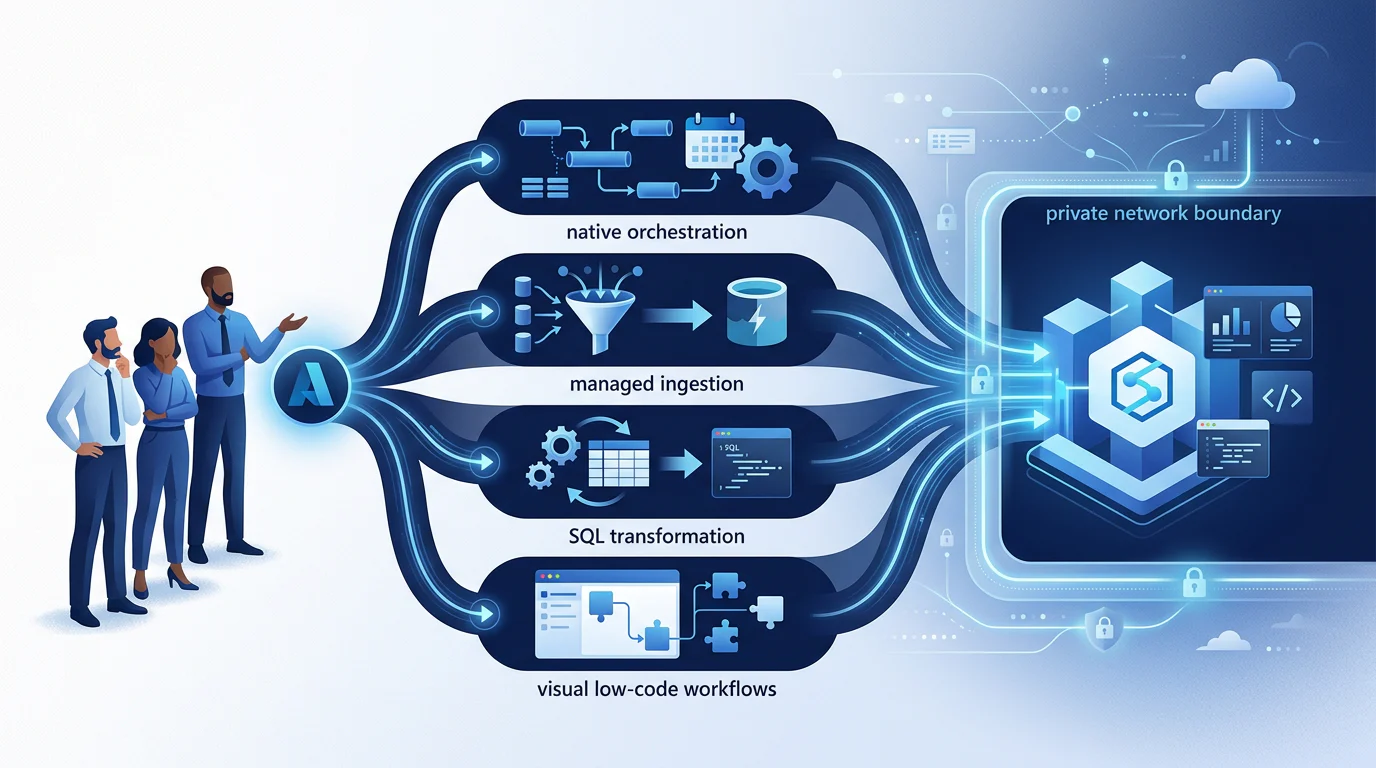
Start by defining what “avoids Spark” means inside your organization. A native pipeline service can move data and orchestrate SQL jobs without analysts managing clusters, while visual mapping transformations may still run on a managed Spark runtime. That distinction, explained in the runtime documentation, separates a low-administration choice from a strict no-Spark policy.
Separate Managed Spark from No Spark
We use three filters before comparing tools. The first is whether analysts must administer Spark. The second is whether any Spark runtime is allowed. The third is whether the team can maintain code, infrastructure, and recovery logic.
- No Spark Administration: Visual transforms may be acceptable when the service handles cluster lifecycle.
- No Spark Runtime: Favor copy, orchestration, managed ingestion, and SQL-first transformation patterns.
- No Code-First Engineering: Prefer visual workflow builders and governed SQL, but test complex transformations before committing.
Compare the Operating Models
The right comparison starts with how data moves, not with a connector headline. Database replication, SaaS extraction, file ingestion, and event delivery have different security and maintenance demands.
| Operating Model | Published Coverage Signal | Database, SaaS, Files, Events | Spark Reality | Best Fit |
|---|---|---|---|---|
| Azure-Native Pipeline Service | 90+ native connectors | Broad support across cloud, on-premises, file, and event patterns | No Spark for copy and orchestration, managed Spark for visual mapping transforms | Teams needing Azure control and SQL-first operations |
| Managed Connector-First Service | 700+ connectors | Strongest breadth across databases, SaaS, files, and events | No Spark administration for ingestion | Teams with many changing SaaS sources |
| Managed No-Code Ingestion Service | 150+ connectors | Databases, applications, files, and webhook patterns | No Spark administration for ingestion | Lean teams prioritizing quick setup |
| Fixed-Fee Integration Service | 150+ sources and destinations | Database, SaaS, API, and file patterns | No Spark administration for standard workflows | Teams prioritizing predictable subscription costs |
| Low-Code ELT Canvas | Connector count not publicly comparable | Connector fit must be validated source by source | Depends on transformation design | Teams wanting visual orchestration plus SQL or Python |
| No-Code Import Service | 200+ pre-built connectors | Strong SaaS, database, and file coverage | No Spark administration for standard imports | Simpler dedicated-pool import scenarios |
Set a Shortlist Boundary
For a 12-person team, we would shortlist only the options that can load into the actual Synapse pool, reach every required source privately, and support a recoverable daily batch. That keeps a glossy demo from becoming an operational burden after launch. Our Azure pipeline guide shows the architecture decisions worth documenting before a pilot.
What Will Analysts Actually Have to Learn?
Analyst experience is not a single “low-code” score. It is a mix of visual mapping, SQL, query preparation, reusable transformation models, and the amount of code required when a source changes or a job fails. We treat SQL fluency as a strategic advantage because it keeps business logic inspectable in the same warehouse where the team validates results.
Visual transformation interfaces can reduce early learning time, but they do not remove the need to understand joins, incremental logic, types, and warehouse performance. The visual mapping guide is useful here because it shows why a drag-and-drop flow still needs disciplined data design.
For a small team, the practical division of work should be clear:
- Analysts: Build straightforward mappings, validate business rules, and own SQL transformations.
- Analytics Engineers: Define reusable models, tests, naming conventions, and backfill procedures.
- Platform Owners: Approve network paths, identities, production releases, and recovery limits.
That division lets analysts stay productive without quietly turning them into cluster operators. Teams that need to close broader skills gaps can use our learning path comparison to plan the right level of Azure data-engineering capability.
How Well Does Each Option Fit Azure, Synapse, and Private Networking?
Azure integration is not a badge. It is a checklist of whether the tool can reach Synapse, ADLS, Key Vault, and private sources through the team’s actual identity and network model. Azure’s network controls can reduce infrastructure planning for native workloads, but they do not automatically make every external source private.
The first filter is the Synapse endpoint. Several managed services support dedicated SQL pools but not serverless SQL pools. Confirm the pool type before evaluating connectors, because a successful source demo is irrelevant if the intended destination is unsupported.
Next, inspect the private path. Some managed platforms use private links only on higher tiers, while others rely on SSH tunnels, allowlisted IP addresses, or an agent inside your network. If ADLS staging is part of the design, test that path separately from the warehouse connection. Our centralization pattern can help teams map these data paths before selecting a service.
Identity is equally important. Native Azure workflows can use managed identities for resources including Synapse, storage, and Key Vault, as outlined in the identity guidance. If a managed service instead requires stored database credentials, include rotation ownership and audit evidence in the evaluation.
Use this private-networking checklist during a proof of concept:
- Synapse Endpoint: Confirm dedicated versus serverless pool support.
- Network Path: Identify private link, private endpoint, SSH, allowlist, or agent requirements.
- Identity Model: Confirm managed identity, service principal, or stored credential ownership.
- ADLS Staging: Test storage access, firewall rules, and regional placement.
- Support Tier: Check whether private networking changes the subscription tier.
- Recovery Access: Ensure operators can troubleshoot without opening public endpoints.
A governed lakehouse design is often the easiest way to make these ownership boundaries visible across analytics, security, and platform teams.
How Reliable Are Azure ETL Tools Without Spark?
Reliability starts with incremental behavior, not with a green dashboard. Your team needs to know how a tool handles schema drift, inserted and deleted records, late-arriving data, retries, alerts, lineage, and a full historical backfill. Azure’s CDC guidance distinguishes native change capture from watermark-based extraction, which is a useful model for judging every option.
For schema drift, ask whether a new column is automatically loaded, blocked for review, or able to trigger an unexpected reprocessing event. For incremental loads, ask whether the tool reads database logs, captures a source change feed, uses a timestamp watermark, or simply polls. Each model can work, but each changes source load, recovery steps, and cost exposure.
Monitoring should show pipeline status, row counts, duration, errors, and the last successful checkpoint. Lineage should make it possible to trace a Synapse table back to its source and pipeline, with known limitations documented rather than hidden. Native Azure monitoring and lineage guidance provide a strong benchmark for what an auditable operating model looks like.
Before selecting a platform, run five tests:
- Schema Change: Add a source column and check the destination, alert, and approval behavior.
- Rate Limit: Trigger a SaaS API limit and observe retries and notification timing.
- Failed Batch: Stop a daily run midway and verify checkpoint recovery without duplicates.
- Late Update: Change an old record and confirm the incremental method catches it.
- Backfill: Reload history into a separate schema and measure operator effort.
A documented modernization hub is useful when those tests reveal that existing pipelines need gradual improvement rather than replacement.
What Will It Cost, and Which Tool Fits?
Cost predictability comes from modeling operations, not from comparing a single subscription number. For daily batch workloads, the real spend can include a platform tier, data movement, warehouse or transformation compute, private connectivity, support, backfills, and engineering hours. We recommend estimating each item for the same representative month before multiplying by twelve.
Build a 12-Month TCO Worksheet
Use inputs your team can verify in a pilot: monthly rows, pipeline runs, compute, connector tier, support, and engineering hours. This avoids false precision when pricing depends on consumption, task duration, or a negotiated tier.
| Cost Driver | Azure-Native Pipeline Service | Managed Connector Service | Fixed-Fee Integration Service | Low-Code ELT Canvas |
|---|---|---|---|---|
| Platform Charge | Orchestration and movement usage | Connector or data-volume usage | Subscription tier | Subscription and active capacity |
| Compute | Integration runtime and transformation compute | Usually included for ingestion, warehouse compute remains | Warehouse and optional processing compute | Task or processing time plus warehouse compute |
| Private Networking | Azure resources and network setup | Often tier-gated | Confirm during procurement | Confirm deployment model |
| Engineering Hours | Pipeline design, releases, monitoring | Source validation and exception handling | Workflow governance and support coordination | Transformation design and environment management |
Monthly TCO =
[connector tier]
+ ([monthly rows] × applicable usage rate)
+ ([pipeline runs] × applicable run rate)
+ [compute]
+ [support]
+ ([engineering hours] × loaded hourly rate)

12-Month TCO =
(Monthly TCO × 12)
+ one-time migration and backfill work
+ private-network or agent setup
Score the Shortlist with Adjustable Weights
We suggest weighting Azure and Synapse fit at 30%, analyst ease of use at 25%, governance at 20%, cost predictability at 15%, and maintainability at 10%. Rate each candidate from one to five, then multiply the rating by the selected weight.
Do not score a platform that already fails a non-negotiable requirement. A tool that cannot reach your private source, support your Synapse pool, or recover within the daily batch window is disqualified, not merely lower ranked.
Make the Final Selection
Choose the native Azure route when identity, private networking, ADLS, and orchestration control matter most and your team can own production pipelines. Choose managed ingestion when connector maintenance is the limiting factor. Choose a fixed-fee or low-code option only after its source coverage, network path, and recovery behavior pass the same tests.
The best choice is the one your team can explain, operate, and improve six months later. Our training comparison can help leaders decide how much structured upskilling that operating model requires.
Build Azure Capability with Vision Board
At Vision Board, we help Azure analytics teams turn a comparison into an operating model. Our training focuses on the work a lean team must own: designing SQL-first batch patterns, choosing managed versus native controls, setting access boundaries, testing recovery, and estimating costs before a production commitment. We teach teams to read a connector matrix critically, separate a polished demo from a reliable daily run, and document the decisions that keep ownership clear when requirements change. That matters especially when analysts are expected to deliver outcomes without becoming cluster administrators or a round-the-clock operations group. We can also shape a pilot plan around your actual sources, Synapse pool, network rules, and reporting deadlines. Our goal is practical confidence, not tool trivia, so your team can make a defensible choice and operate it well after launch. Start with lasting clarity at Vision Board.
FAQs on Azure ETL Tools Without Spark
Does a Native Azure Pipeline Service Require Spark?
Copy and orchestration do not require Spark. Visual mapping transformations can use managed Spark infrastructure, so choose SQL transformations when policy excludes any Spark execution.
Can a Managed Service Load into Synapse?
Managed ingestion services often support dedicated SQL pools. Serverless pool support, private endpoints, credential methods, and incremental recovery vary by connector, deployment, and subscription plan.
What Does a 12-Person Team Need to Budget?
Budget subscriptions, usage fees, Azure compute, private connectivity, support, backfills, and engineering time for monitoring, incident response, releases, access reviews, and ongoing operations each month.
How Should We Choose?
Use a weighted scorecard. Disqualify options that miss your Synapse pool, network boundary, required sources, recovery objective, or the team's available operating capacity for production.