
Which ETL Tools Work Best with Synapse?
Compare Azure Synapse ETL tools for small teams: no-Spark skills, CRM loads, costs, reliability, security, and SQL-first transformations.
Which ETL Tools Work Best with Synapse?
A daily CRM replication can encounter a documented API limit of 15,000 ingestion batches in a rolling 24-hour period, which is why a Synapse decision cannot start and end with a connector checklist.
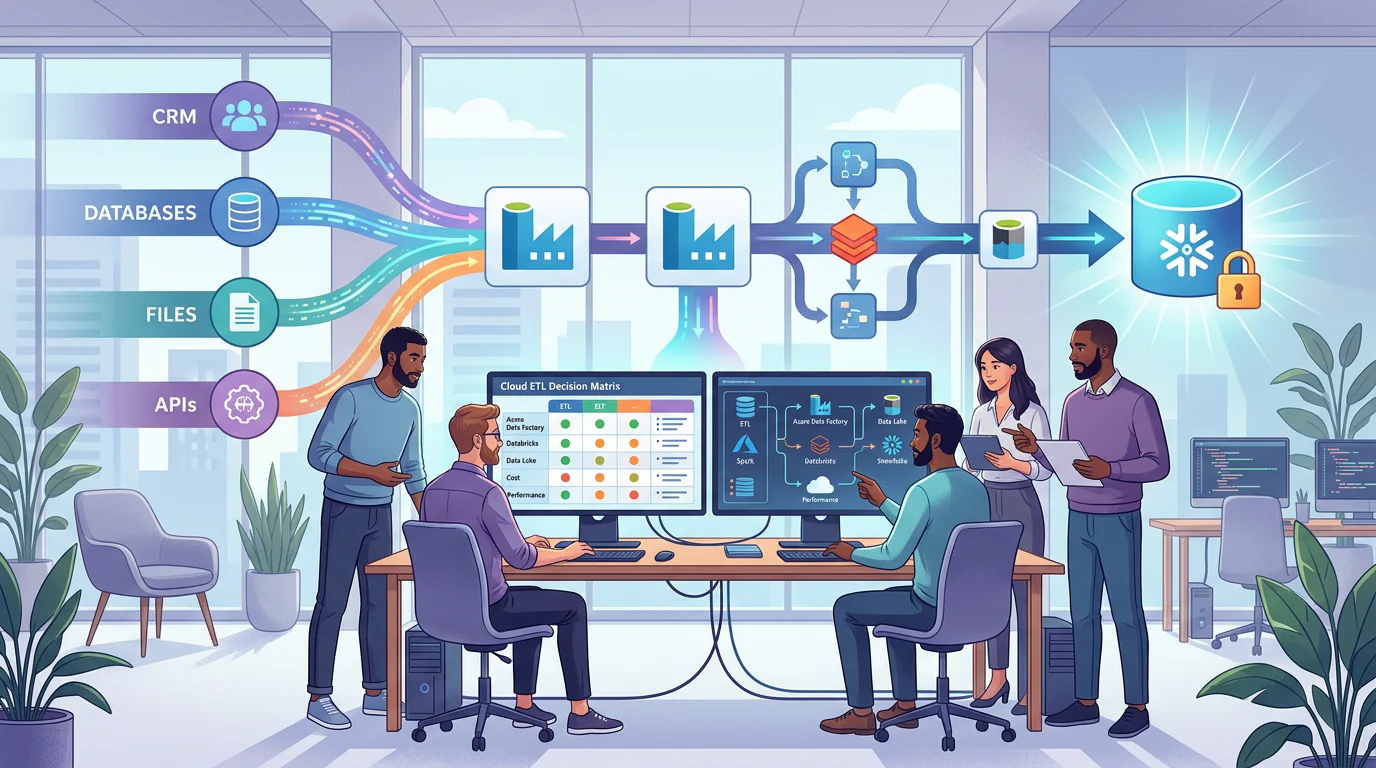
For a 12-person Azure team that avoids Spark, Azure Synapse ETL tools work best when native orchestration handles secure scheduled movement, a managed connector layer takes on volatile SaaS sources, and SQL models own transformations. Choose by source behavior, network controls, recovery needs, and total operating cost, not connector counts alone.
We compare the operating models, skills, CRM loading choices, pricing mechanics, and implementation checks that matter when analysts must maintain reliable daily batches without a dedicated DevOps function.
How Do Azure Synapse ETL Tools Fit a No-Spark Team?
We start by separating a product label from the job it must do. A small team rarely needs one tool to ingest every source, transform every table, govern every secret, and write data back to operational systems. It needs a sensible division of responsibility that analysts can understand and the team can support on a busy morning.
The native Azure path is often the control baseline because it keeps orchestration, identity, private networking, and monitoring close to the warehouse. Synapse SQL itself has two different operating roles: dedicated pools ingest and query managed tables, while serverless SQL queries data-lake files on demand, as the SQL architecture documentation explains. That distinction should shape the pipeline before anyone compares connector counts.
| Approach | Best-Fit Skill Level | Synapse Role | CDC Or Incremental Loading | Reverse ETL | Version Control | Hosting Model | Ongoing Maintenance | Networking And Identity | Pricing Pattern |
|---|---|---|---|---|---|---|---|---|---|
| Native Azure Orchestration | Low-code plus SQL | Ingestion, staging, orchestration | Watermarks or source change tracking | Orchestrated writeback | Native repository integration | Azure managed | Medium | Managed network and enterprise identity | Activity, movement, and compute consumption |
| Workspace-Native Pipelines | Low-code plus SQL | Workspace orchestration | Watermarks or source change tracking | Orchestrated writeback | Native repository integration | Azure managed | Medium | Workspace network controls | Pipeline and warehouse consumption |
| Managed Ingestion Service | Low-code | Source replication to staging | Connector-dependent | Often native activation | Tier-dependent | SaaS or hybrid | Low | Private connectivity may require higher tier | Rows, records, or capacity |
| Low-Code ELT Platform | Low-code plus SQL | Load and push-down SQL transforms | Product and tier-dependent | Pipeline-based writeback | Built-in or connected repository | SaaS or cloud deployment | Low to medium | Private access may be an add-on | Credits, task-hours, or users |
| Open-Source Replication Runtime | Low-code plus technical setup | Source replication and staging | Connector-dependent | Connector-dependent | Configuration-as-code | Self-managed or hybrid | Medium to high | Team-managed network controls | Hosting and support costs |
| No-Code Cloud Integration | No-code plus mapping | Smaller operational loads | Timestamp-based updates in many cases | Integration-based writeback | Often limited | SaaS | Low | Verify controls before purchase | Processed records or plan limits |
| SQL-First Transformation Workflow | SQL plus Git | Curated warehouse models | Model-specific incremental logic | No native writeback | Git-first | Managed or self-run | Medium | Depends on runner and warehouse setup | Platform, runner, and warehouse compute |
What Counts as a No-Spark Workflow?
A no-Spark workflow does not mean no engineering. It means analysts can configure schedules, mappings, SQL transformations, freshness checks, and exception paths without maintaining cluster libraries, notebooks, or distributed-code internals. We recommend keeping Spark as a deliberate exception for workloads that truly need it, not as the default transformation language.
For most daily batch jobs, use the visual layer for movement and orchestration, then let SQL own repeatable joins, dimensions, tests, and business rules. Our no-Spark ETL choices guide expands that boundary for teams deciding what analysts should maintain themselves.
Which Capability Claims Need a Proof of Concept?
Treat private networking, change capture, reverse writeback, Git support, and source-specific schema handling as proof-of-concept items. A provider may advertise a broad feature, while the relevant connector, destination, hosting model, or plan tier carries different limits.
We use three labels in evaluation work: documented, tier-dependent, and proof-of-concept required. This keeps a small team from buying a platform based on capabilities that only appear after an upgrade, a separate runtime, or custom operational work.
What Should a Small Team Score Before Choosing?
We score approaches against the work the team actually performs, not an abstract market ranking. The weights below favor daily batch reliability, analyst ownership, and predictable operation because a small Azure analytics team feels failure recovery and cost variance more sharply than a large platform group.
Use a one-to-five score for each criterion, cite the evidence beside it, and leave an item unscored when current documentation does not establish the answer. That is more useful than turning an assumption into a glossy score.
| Selection Criterion | Weight | A Score Of Five Means |
|---|---|---|
| Synapse Ingestion And Staging Fit | 18% | Supports the required destination pattern, staging path, and SQL-pool design |
| Analyst Ownership Without Spark | 16% | Analysts can safely maintain most daily work with visual tools and SQL |
| Daily-Batch Reliability | 15% | Clear retries, alerting, run history, and recoverable incremental state |
| Budget Predictability | 14% | Cost drivers are measurable before production and easy to monitor |
| Source Coverage | 10% | Covers the team’s actual databases, files, APIs, and SaaS systems |
| Security And Governance | 10% | Meets private-network, identity, secret, and audit requirements |
| Incremental Loading Or CDC | 7% | Handles required inserts, updates, and deletes with documented semantics |
| Git, Testing, And Deployment | 6% | Supports reviewable change control and repeatable releases |
| Reverse ETL | 4% | Can safely write approved data back to operational systems |
The key native comparison is not simply “factory versus workspace.” The two services share a common data-integration foundation, but service differences include global parameters, integration-runtime sharing, cross-region data-flow capability, and deployment behavior. Score those differences only if your team will use them.
A managed connector service can earn the strongest setup-effort score when it supports your sources and destination with the right security tier. Native orchestration usually earns the Azure-control score. SQL-first transformation earns the maintainability score when analysts already review SQL in Git. Open-source replication can be attractive for deployment control, but it should lose points when self-hosting would leave nobody responsible for upgrades or incident response.
Use our Azure pipeline guide when translating those scores into a pipeline design. The scoring system works best when it is reviewed by the people who will own data quality, source access, budgets, and daily incident response.
How Should a Daily CRM-To-Synapse Load Work?
A reliable CRM load begins with source semantics. Define which objects matter, whether custom fields are included, how often changes arrive, what constitutes a deletion, and who owns API permissions. Then decide whether the target is raw files in the lake, managed warehouse tables, or both.
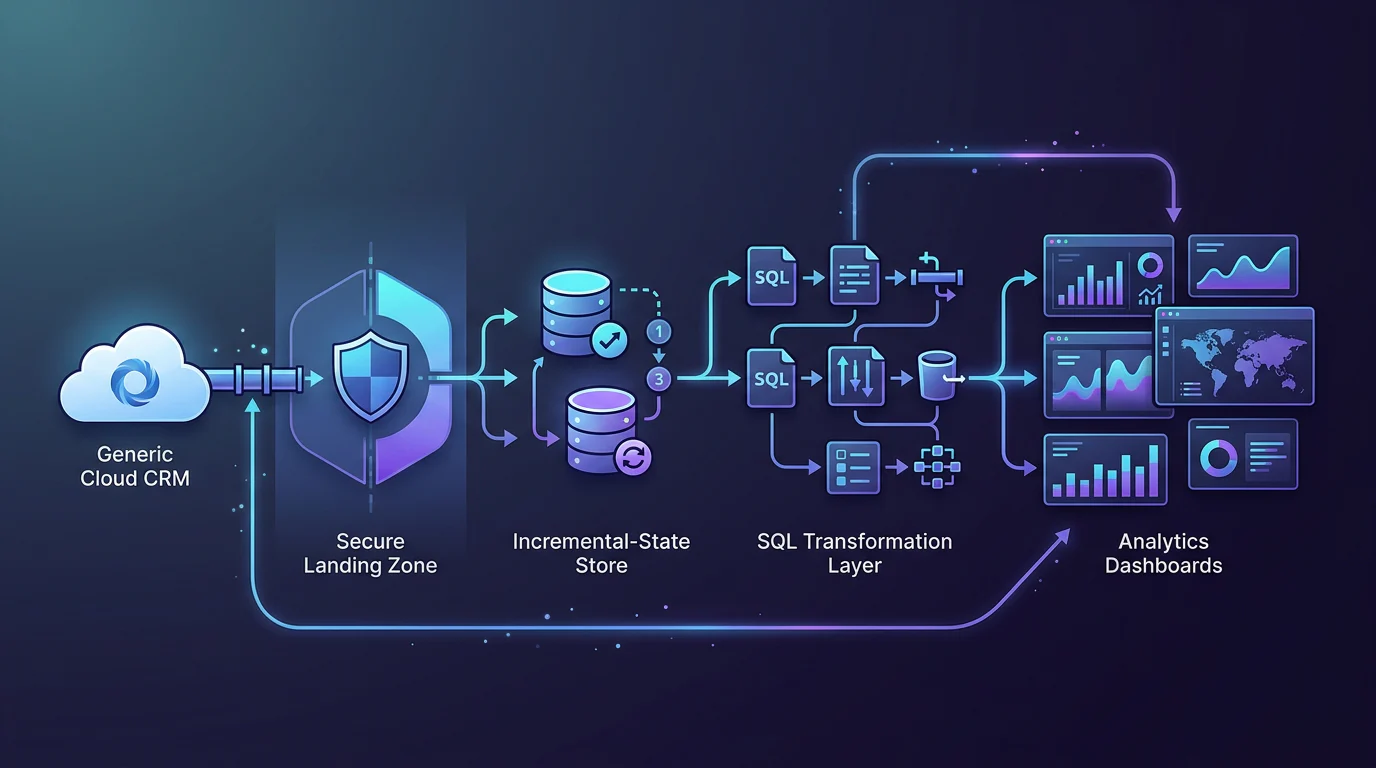
For daily batches, we recommend a raw landing layer, a clearly named incremental-state table, and curated SQL models that run only after reconciliation succeeds. Native pipeline patterns can store and update a watermark around each load, as the incremental-copy pattern demonstrates.
When Should You Use Watermarks?
Use a watermark when the source has a reliable increasing timestamp, date, row version, or sequence field. The pipeline reads the last successful value, selects the next bounded interval, loads it, validates the result, then advances state only after success.
A watermark is approachable for analysts, but it cannot observe deleted source records by itself. If deletions matter, use source change capture where supported or implement a separate reconciliation process that compares source keys with target keys.
When Does CDC Matter More Than Watermarks?
CDC matters when inserts, updates, and deletes must remain aligned and the source can expose changes reliably. It can reduce unnecessary source scanning and simplify merge logic, but it still needs tests for ordering, duplicate events, schema changes, and recovery after a failed run.
For a CRM source, make API permissions, object access, custom-object coverage, bulk behavior, and retry limits part of the acceptance test. Do not call a pipeline production-ready until it has completed a historical backfill, a daily increment, an intentional failure, and a count reconciliation.
What Should Reverse ETL Mean Here?
Reverse ETL should mean controlled writeback, not an automatic promise. Before writing enriched values back to a CRM, require stable external IDs, field-level permissions, approved field ownership, a duplicate strategy, and a rollback process.
That discipline is especially important when analysts own transformations. A clean governed layer makes the handoff safer, which is why we connect this decision to governed lakehouse design before enabling operational updates.
What Will the Daily-Batch System Really Cost?
We advise teams to estimate total cost as a system, not as a subscription. A low starting price can become expensive once a second environment, a historical backfill, private connectivity, extra support, or warehouse runtime enters the picture. A native service can also vary materially when a pipeline adds data movement, transformation compute, and more activity runs.
Start with expected volume, then calculate a growth case and a recovery case. Native pipeline billing can include orchestration activity runs, data movement, and transformation compute, as the pricing guidance outlines. Your worksheet should separate those lines from storage and warehouse charges. Teams centralising multiple source systems can use our analytics centralisation guide to define clear ownership boundaries.
| Cost Line | What To Measure | Common Surprise |
|---|---|---|
| Ingestion Usage | Activities, rows, records, GB, credits, or task-hours | Backfills and re-syncs increase consumption |
| Connectors | Each source-to-destination connection | Development and production may count separately |
| Transformation Compute | SQL-pool runtime, serverless data processed, or separate compute | Poorly scoped queries raise warehouse cost |
| Staging And Storage | Raw files, temporary extracts, and retention period | Historical retention grows quietly |
| Hosting | Virtual machines, containers, or managed runtime | Self-managed software is not infrastructure-free |
| Security And Support | Private access, identity, audit features, support plan | Enterprise controls may be tiered |
| Environment Duplication | Dev, test, and production workloads | Usage can multiply before launch |
| Operations Time | Weekly hours for alerts, drift, retries, and releases | People time is often the largest hidden cost |
Serverless SQL is best treated as a variable lake-query cost, while dedicated SQL is a provisioned warehouse decision. The serverless cost rules confirm that serverless billing follows data processed, so scan size and file design belong in the same budget discussion as ETL tooling.
We also recommend setting a named owner for every cost line. That owner should review actual versus expected spend after the first month, then adjust schedule frequency, retention, query design, and connection scope before surprise costs become the normal baseline.
Teams replacing brittle legacy jobs should first map the data movement, transformations, and handoffs they intend to retain. Our legacy modernisation plan helps structure that inventory before migration choices become irreversible.
How Can We Keep Operations Manageable Without Dedicated DevOps?
The winning operating model is the one your team can recover at 9 a.m. after a failed daily load. That requires more than a green status indicator. It requires named alert owners, runbooks, secret rotation, schema-change policy, deployment review, and evidence that the target reflects the source.
Managed infrastructure reduces some work, but it does not remove accountability. Azure integration runtimes can avoid infrastructure provisioning, patching, and capacity management, according to the runtime guidance, while your team still owns pipeline logic, source credentials, alerts, and data correctness.
Use this operating checklist before selection:
- Deployment: Store pipeline and SQL changes in Git, review them, and keep a tested rollback path.
- Schema Drift: Decide whether a new source column fails the job, lands as raw data, or requires an approved model change.
- Retries: Define retry counts, delay, idempotent writes, and the escalation point for human intervention.
- Observability: Track run success, freshness, rows read, rows written, rejected records, and cost variance.
- Secrets: Use least-privilege identities and test credential rotation before the first production incident.
- Networking: Validate private endpoints, approved outbound paths, and source firewall behavior in the target environment.
- Testing: Reconcile keys and counts, test incremental windows, and require data-quality checks before publication.
Managed virtual networking can route access through private endpoints and approved boundaries, as network controls describe. For a small team, that is valuable only when the deployment process makes those controls repeatable.
Our Azure engineering path helps teams build the skills behind this checklist. Clear ownership, documented recovery paths, and repeatable release habits matter more than collecting another set of features.
How Can Vision Board Help Your Team Choose and Run the Right Stack?
Vision Board helps Azure teams turn this comparison into a working delivery practice. We teach analysts and engineers how to design ingestion patterns, use SQL-first transformations, protect production access, review pipeline changes, and respond when a daily load fails. Our sessions focus on the decisions that keep a small team independent: selecting the right source pattern, creating reliable watermarks, reconciling counts, controlling warehouse spend, and documenting ownership. We can adapt the work to your current stack, whether you are improving a native pipeline, replacing brittle legacy jobs, or standardising a mixed toolset. Instead of handing your team a generic checklist, we work through realistic Azure scenarios and leave behind habits they can repeat. That makes the choice defensible to finance, security, and business stakeholders, while giving analysts a clear route from questions to maintained data products. Explore our courses, projects, and learning paths at Vision Board.
FAQs on Azure Synapse ETL Tools
We use these questions to clarify the decisions that tend to matter most after a team has compared features, cost models, and operating responsibilities.
Which Azure Synapse ETL Tools Need the Least Spark Knowledge?
Native orchestration, managed ingestion, no-code mapping, and SQL-first transformation workflows can avoid Spark when daily requirements fit scheduled movement, SQL models, documented incremental loads, and governed exceptions.
Should a Small Team Choose Native Orchestration First?
We recommend native orchestration first when Azure identity, private networking, and deployment control matter. Add managed ingestion only when difficult sources would otherwise create recurring maintenance.
How Should a CRM Load Handle Deleted Records?
Use source change capture when supported and needed. Watermarks can track inserts and updates through reliable fields, but cannot independently identify source records that were deleted.
Is Serverless SQL Enough for Daily ETL?
Serverless SQL suits intermittent lake queries. Daily warehouse ETL may instead require dedicated tables, predictable performance, and a cost model built around provisioned compute capacity.
What Should We Test Before Signing a Tool Contract?
Test the largest source, historical backfill, incremental updates, deleted records, private connectivity, schema drift, failure recovery, reconciliation, cost reporting, and reviewer-controlled deployment before signing a contract.